Using iPod 45
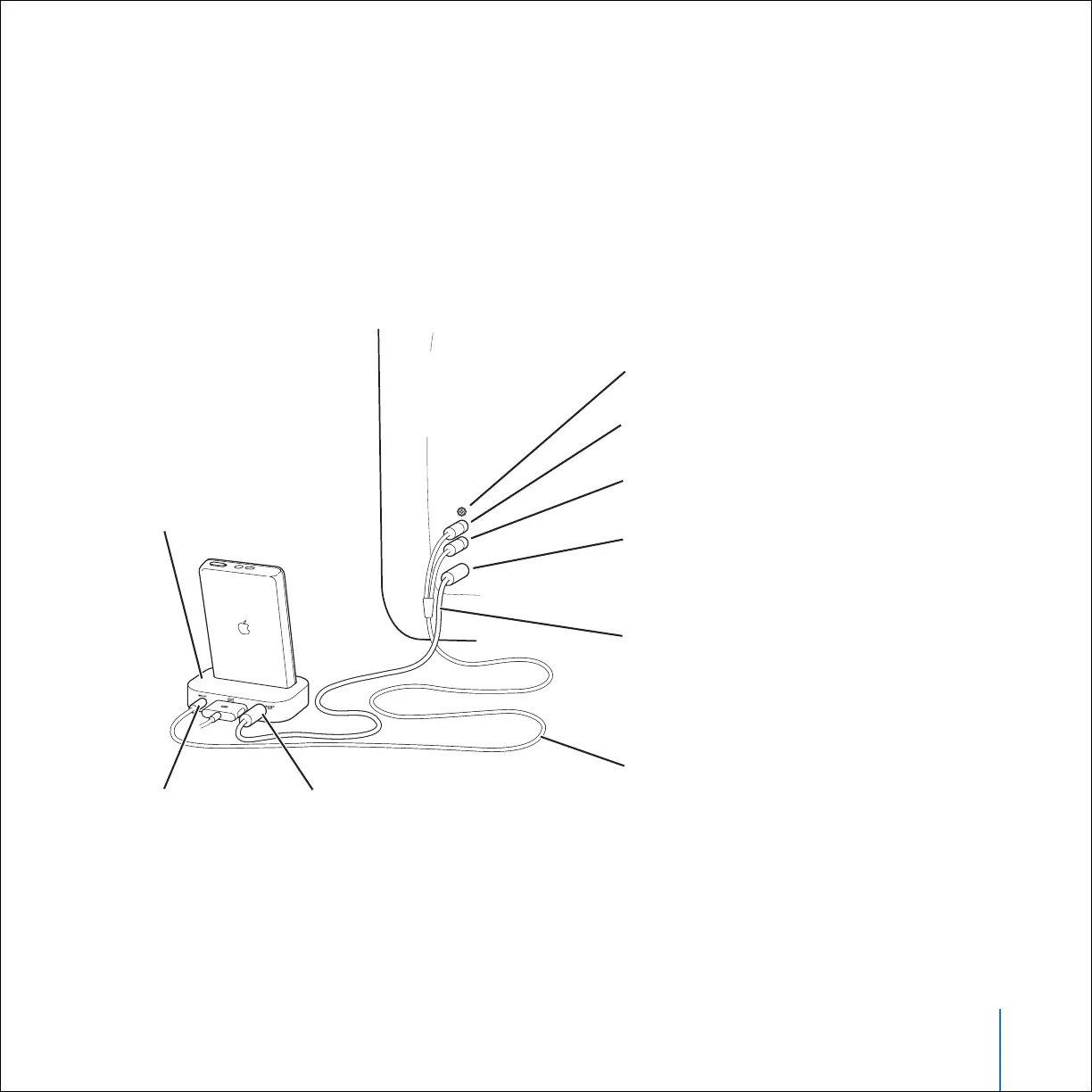
To connect iPod using S-video:
For increased visual clarity, you can also connect iPod to a television, video receiver, or
other device that has an S-video port using an S-video cable and the iPod Dock. You
can purchase audio and S-video cables at www.apple.com/ipodstore.
To hear music with the slideshow, you must connect an audio cable to the Line Out
port on the iPod Dock and to an audio input port on the television or receiver.
Video input port (yellow) is unused
Line Out port
on Dock
iPod Dock (optional)
S-video Out port
on Dock
Left sound input port (white)
Right sound input port (red)
S-video input port
S-video–to–S-video cable
(available separately)
Television
or other
video device
3.5 mm stereo miniplug to
dual RCA-type connector
cable (available separately)



 To Next Page