4-22
4.5.3 KVO Rate. The MRidium
TM
3860 MRI Infusion Pump will default to a preset
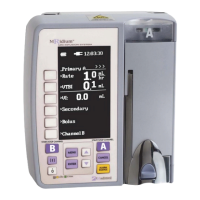
KVO (Keep Vein Open) rate (See Figure 4-10) when the Primary infusion VTBI
counts down to 0 mL. When the VTBI is 0 mL, the infusion automatically switches to
the configured KVO rate, with KVO flashing in the VTBI value area, or remains at the
programmed primary flow rate, whichever is less. [Figure 4-10a shows a completed
infusion with the KVO Rate = 0 mL/Hr (infusion is completed and not infusing). A
reminder tone continues until the alert is acknowledged by the user. Figure 4-10b
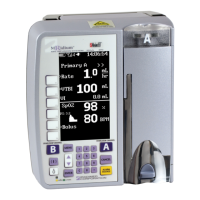
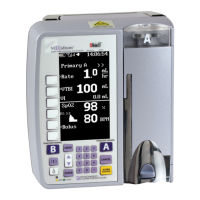
shows a completed infusion with the KVO Rate = 1 mL/Hr. This infusion sounds a
single alert that the infusion has completed infusing at the KVO rate, which can be 1,
2, 3, 4 or 5 mL/Hr]. This KVO rate may be set to a value between 0-5 mL/hr,
according to your hospitals policy. From the Special Feature Setup Menu. Perform
the following to adjust the KVO Rate:
a. Press the MENU control key.
b. Press the KVO Rate soft key.
c. Press the soft key corresponding to the Channel you wish to change (if
the optional second channel is not present then only Channel A will be
available).
d. Use the up and down arrow control keys to adjust limit between 0-5
mL/hr. (0 shuts off the KVO infusion).
e. Press ENTER.
f. Press the CANCEL control key to return to the main programming
screen.
NOTE: Setting the alarm volume also sets the SpO
2
Pulse Tone volume when it is
installed and enabled (3860+ only).
NOTE: When the KVO rate is set to 0 (off), and the infusion is complete, the short
tone will occur, and the infusion will stop. As with a paused infusion, the pump will
give a periodic audible tone every 15 seconds to remind the operator that the
pump is not infusing (unless the reminder beep has been set to “OFF” in the
service mode). When the infusion is paused, “STBY” symbol is displayed adjacent
to the paused channel. To continue, press the “CANCEL” key to access the set-up
screen.
NOTE: Always select the appropriate KVO rate for the prescribed fluid therapy.
NOTE: This option may appear on the second Menu page.


 To Next Page