7-3
• Do not use caustic or abrasive cleaning agents on the unit or sensors.
• Follow local, state and national governing ordinances and recycling
instructions regarding disposal or recycling of the device and device
components.
• To prevent potential loss of monitoring or inaccurate data, remove any
objects that might hinder pulse detection and measurement (e.g. blood
pressure cuffs).
• This device is designed to determine the percentage of arterial oxygen
saturation of functional hemoglobin. Factors that may degrade pulse
oximeter performance or affect the accuracy of the measurement include
the following:
- the SpO
2
sensor attachment is too tight.
- the patient is in cardiac arrest or is in shock.
- excessive ambient light
- excessive motion
- electrosurgical interference
- blood flow restrictors (arterial catheters, blood pressure cuffs, infusion
lines, etc.)
- moisture in the sensor
- improperly applied sensor
- incorrect sensor type
- poor pulse quality
- venous pulsations
- anemia or low hemoglobin concentrations
- cardiogreen and other intravascular dyes
- carboxyhemoglobin
- methemoglobin
- dysfunctional hemoglobin
- artificial nails or fingernail polish
- a sensor not at heart level.
• A functional tester cannot be used to assess the accuracy of a pulse
oximeter monitor or sensor.
• Operation of this device below the minimum amplitude of 0.3% modulation
may cause inaccurate results.
• Review all Alarm limits to ensure they are appropriate for the patient.
• Use the MRidium SpO2 Sensor Grips to attach the probe to the patient. Do
not use tape to secure the probe to the patient. Examine the sensor site at
routine intervals to prevent any possible pressure damage or tissue
necrosis during longer term monitoring sessions.
7.1 Installation.
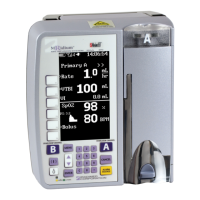
Attach the Iradimed 1170 Fiber Optic SpO
2
sensor (see Section 7.4.1)
to the SpO
2
Sensor Connector on the rear panel of the 3860+ IV Pump
by squeezing the retainer clips (See Figure 7.2) to lock the probe into
place. Verify that the sensor is firmly connected to the IV Pump. To
remove sensor, squeeze retainer clips to open and gently pull probe
from the connector.


 To Next Page