6-1
SECTION 6
BATTERY OPERATION
6.0 Battery Operation.
6.1 Introduction. The 3860 system includes a smart Battery Pack that self-
monitors its performance and status and communicates this information to the
Pump. This allows the Pump to monitor the battery parameters in order to maximize
the life of the battery, reduce battery-related costs and minimize Pump/Battery
down-time.
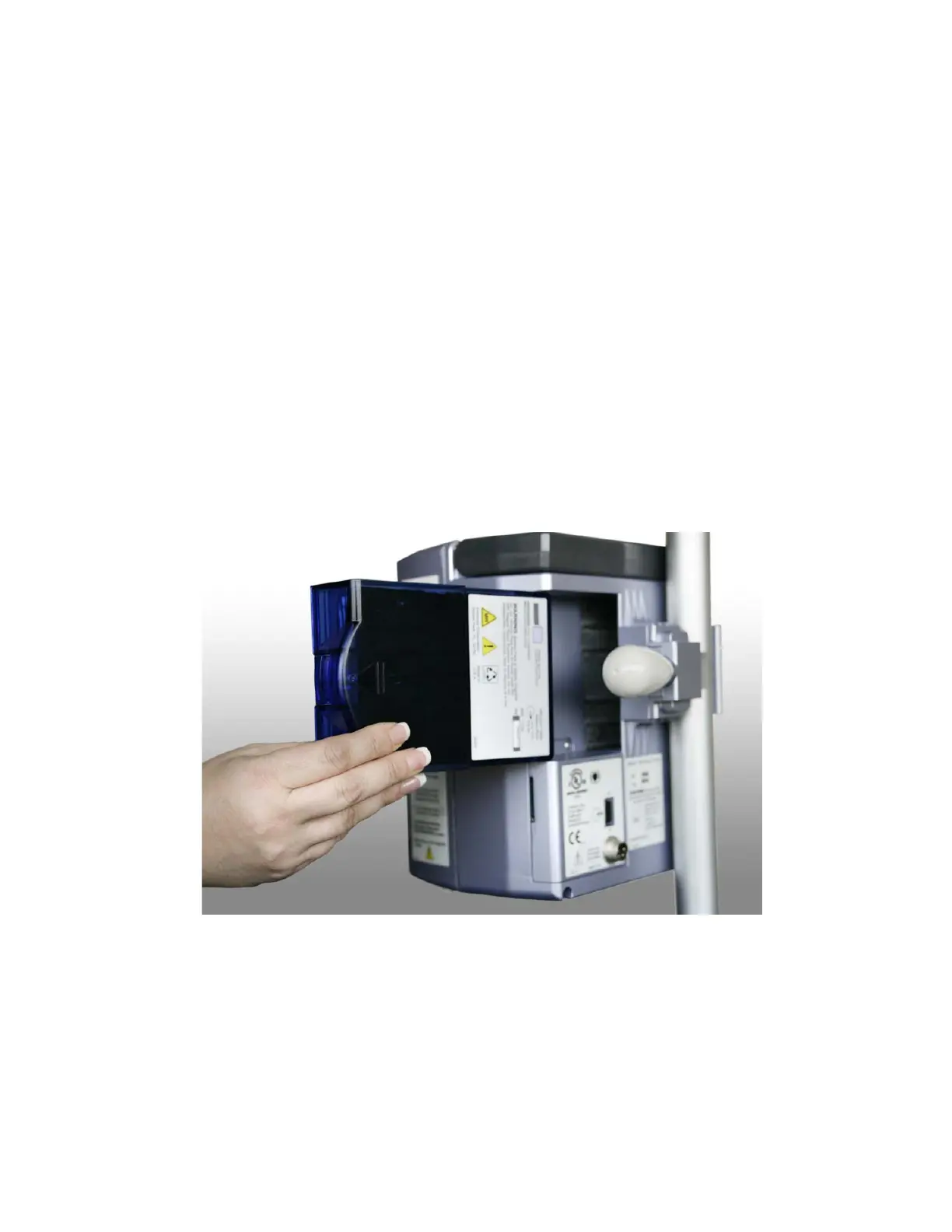
6.2 Inserting the Battery Pack. Perform the following to insert the Battery Pack
into the pump or Remote Display/Charger:
a. Grasp the Battery Pack firmly.
b. Slide the Pack into the battery compartment on the rear of the Unit.
Push in firmly until the pack snaps into place. The Battery Pack can be
inserted when the Unit is either turned On or Off.
c. After the Unit is turned On, verify that the Battery Icon on the Main
Display has the “X” removed and the Icon is filled or filling during the
charge cycle.
Figure 6-1. Battery Installation
6.3 Charging the Battery Pack. After insertion of the Battery Pack, attach the
Power Adapter to the Pump and the AC power source. The battery will charge
automatically whenever the pump is connected to the AC power source as indicated
by a visible Amber LED indicator on the Pump front panel. The Battery Pack can be
inserted when the Pump is either turned On or Off.
After the Pump is turned On, verify that the Battery Icon on the Main Display has the
“X” removed and the Icon is filled or filling during the charge cycle.
NOTE: The Battery Pack is sealed such that the batteries can’t be replaced. If the
Battery Pack fails or becomes unusable, do not attempt to replace the internal
batteries. Replace the Battery Pack. Contact Iradimed Corporation for disposal.


 To Next Page