All rights reserved and shall not be copied and distributed in any form without written permission
11th Guiyang Street, YEDA,
Yantai 264006, P. R. China
400-998-3088
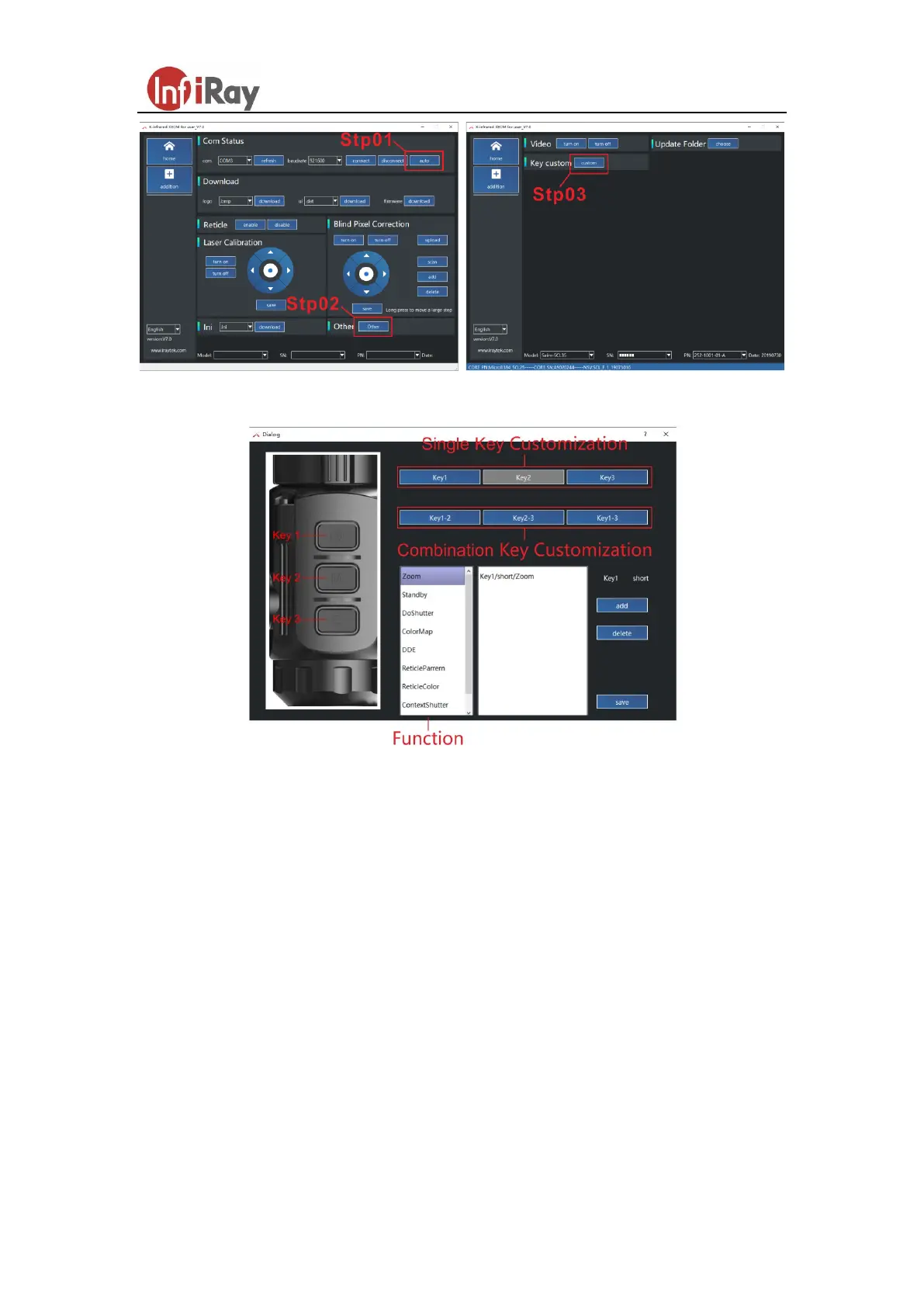
Fig.7 Operation procedure
Fig.8 key function customization interface
5. Shortcut Buttons Instructions
To quickly realize the frequently used functions, the Saim made the default shortcut
keys of the most commonly used functions in the observation interface.
Short press the P (power button) to achieve electronic amplification. The default
setting is from one to four times.
Long press the P (power button) for shut down the unit.
Short press C button for shutter correction.
Long press C button for background correction. (cover the lens cap when
background correction carried out).
Long press P + M button for standby, long press again to activate the device.



 To Next Page