2: INSTALLATION
Iridium Pilot™ Installation Guide 21
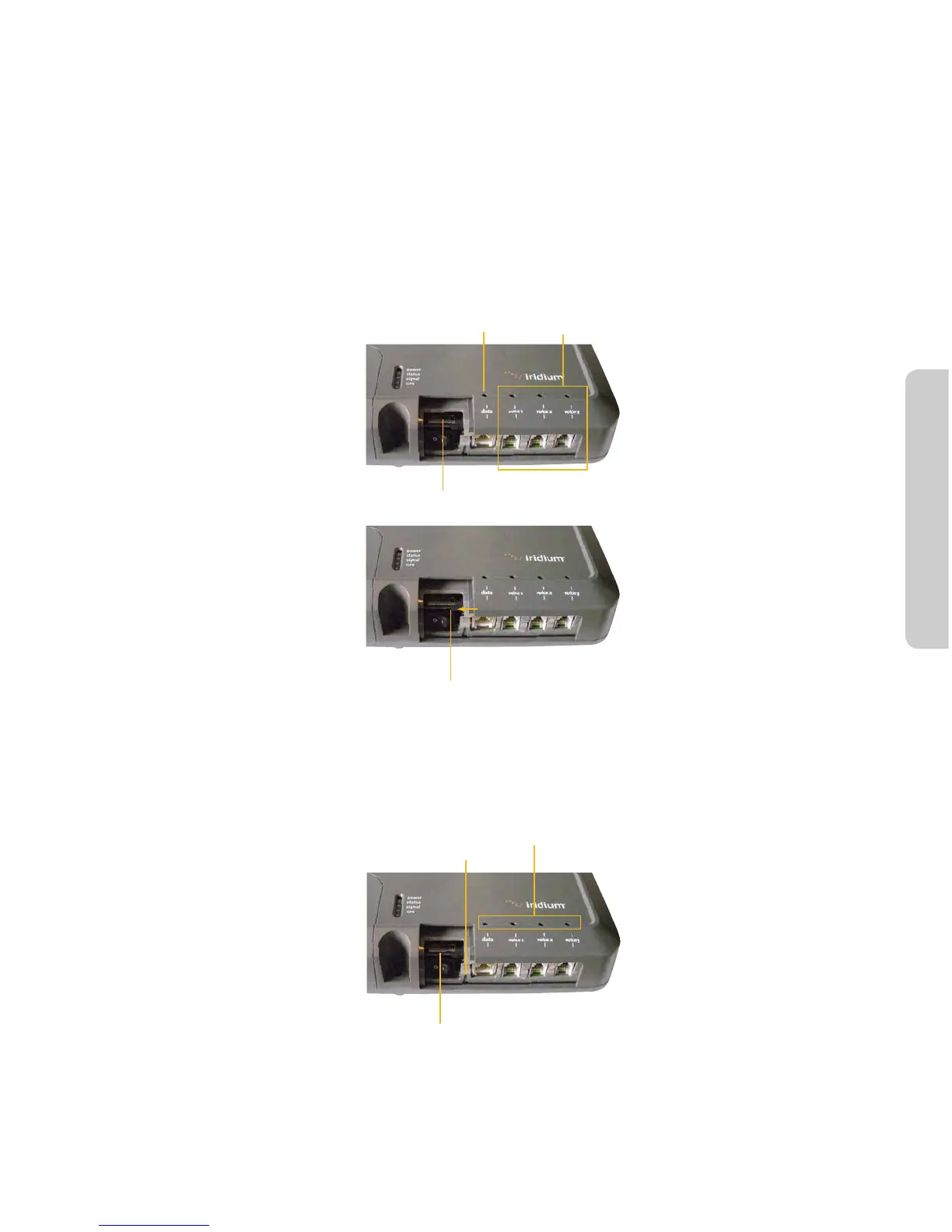
To connect external equipment to the BDE:
Note: In order for the data and handset ports to be active the SIM must be provisioned and placed in the BDE.
1. Connect external equipment to the appropriate port. (e.g.: computers are connected to the data port,
handsets are connected to a port marked “Voice 1, 2 or 3”).
2. Provide external strain relief for cables connected to the BDE.
3. Insert the SIM card and slide the locking tab in place.
Figure 12.
Data
connection
Insert SIM card
Slide locking tab
Voice
connections
4. Switch ON/OFF switch to ON position. The POWER LED should light green, the STATUS LED should ash red
for a few seconds, then illuminate amber - green with rmware VA012001 and higher.
Figure 13.



 To Next Page