Need help?
Do you have a question about the iRobot Braava Jet m6 and is the answer not in the manual?
Lists the necessary items for robot setup and initial use.
Guides on selecting a location and connecting the charging station.
Instructions for attaching the drip tray to the charging station.
Details on activating the robot's battery via the charging station.
Steps to connect the robot to the iRobot Home App for updates.
How to attach wet mopping or dry sweeping pads to the robot.
Instructions for filling the robot's tank with water and solution.
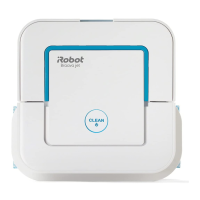
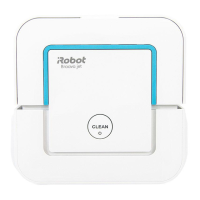
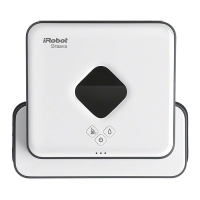
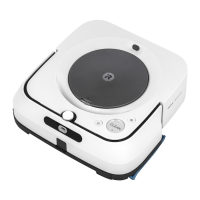
The iRobot Braava jet m6 is a robot mop designed to maintain well-conditioned hard floors. It offers both wet mopping and dry sweeping capabilities, utilizing specialized cleaning pads for each function. The robot is equipped with a precision jet spray nozzle for targeted cleaning and an RCON sensor for navigation.
The Braava jet m6 operates by systematically exploring and cleaning your home, moving in a methodical manner across the floor. It ensures thorough cleaning by overlapping passes and cleaning each spot three times. The robot can be started, paused, or resumed with a simple tap of the CLEAN button. Holding the CLEAN button for 3 seconds will end a job and put the robot to sleep, while holding it for 10 seconds will reboot it. For smaller, designated areas, the SPOT Clean button allows the robot to focus on a 3.3 ft2/1 m2 space. The robot automatically returns to its charging station at the end of a cleaning job, when it needs to recharge, or when the tank needs to be refilled. If the robot senses its tank needs to be filled, a red sweeping motion will illuminate towards the lid latch. The Braava jet m6 is designed to work best when connected to the iRobot Home App, which allows for remote control, cleaning customization, and software updates.
To begin using the Braava jet m6, first position the charging station in an area with good Wi-Fi coverage, at least 4 feet (1.2 meters) away from stairs to prevent falls. Plug the power cable into the charging station and then into the wall. Attach the drip tray to the front of the charging station. To activate the battery, slide the robot onto the charging station contacts; the light ring will illuminate and a sound will indicate it's awake. It is recommended to charge the robot for 3 hours before its first cleaning job.
The robot uses specific cleaning pads: Single-Use Wet Mopping Pads, Washable Wet Mopping Pads (Microfibre), Single-Use Dry Sweeping Pads, and Washable Dry Sweeping Pads (Microfibre). To attach a pad, slide it onto the underside of the robot. To detach a pad, press the button on the front of the robot.
For wet mopping, the tank needs to be filled. First, remove the tank from the robot. You can add iRobot Hard Floor Cleaning Solution (1/2 bottle or 6 capfuls for the full-size bottle) to the tank before filling it to the top with water. It is important to only use iRobot Hard Floor Cleaning Solution, as other solutions may damage the robot. Do not use boiling water. Once filled, close the cap and lightly shake the tank before reattaching it to the robot.
The iRobot Home App enhances the user experience by allowing adjustments to cleaning preferences, such as cleaning power, speed, and coverage. It also provides access to support and instructional videos. For optimal mopping performance, it is recommended to vacuum first to pick up large dirt and debris. A new pad should be used for each cleaning job, and pads should not be pre-wet. Dual Mode Virtual Wall Barriers (sold separately) can be used to define cleaning areas.
Regular maintenance ensures the longevity and optimal performance of your Braava jet m6.
For long-term storage, turn off the robot by removing it from the charging station and holding down the HOME button for 10 seconds. Store the robot in a cool, dry place. The robot also has a reduced power standby mode, which can be accessed via the iRobot Home App for further power saving when not in use.
 General
| Shape | Square |
|---|---|
| Product color | White |
| Dust container type | Combi |
| Smartphone remote support | Yes |
| Noise level | - dB |
| Navigation type | Intelligent |
| Dust capacity (total) | - L |
| Base station functions | Charging |
| HEPA filtration system | - |
| Floor surfaces supported | Hard floor, Linoleum, Parquet, Tiles |
| Mobile operating systems supported | Android, iOS |
| Charging time | 3 h |
| Battery capacity | - mAh |
| Package type | Box |
| Package depth | 385 mm |
| Package width | 495 mm |
| Package height | 129 mm |
| Package weight | 5000 g |
 Weight and Dimensions
| Depth | 252 mm |
|---|---|
| Width | 270 mm |
| Height | 90 mm |
| Weight | 2200 g |








 To Next Page