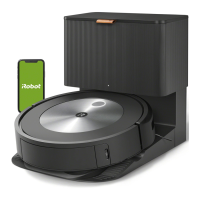
Roomba Customer Support Booklet
Can’t find the answer to your support question? Call Roomba Customer Support at 1-877-855-8593 or email us at
roomba-support@irobot.com
Roomba only rotates in circles around a single wheel every time it’s turned
on.
Rotate the two Drive Wheels by hand. Under normal conditions, the Wheels
should offer some resistance as they spin. You may have a defective unit if either
of the following happens:
1) A Wheel is very difficult to spin by hand, or may even be impossible to rotate.
2) A Wheel will offer very little resistance when spun by hand, and may even
rotate freely.
If either of the two cases described above occurs, please contact Customer
Service.
My Roomba needs a spare part.
If you believe your Roomba may need a spare part, please contact Customer
Service for more information at 1-877-855-8593.
The following parts are available:
1. Spinning Side Brush
2. Vacuum Filter Door
3. Brush Coupler
4. Standard Charger
5. Vacuum Inlet Lid
6. Particle Bin
7. Front Flexible Brush Assembly
8. Rear Wound Brush Assembly
9. Virtual Wall Battery Door
10. Metal Wire Guard
11. Owners Manual
Some parts require special instruction for installation; others may be installed by
following instructions in the Owner’s Manual. If your part requires special
instructions, they can be found on the roombavac.com website as well as in
Procedures below.
Roomba's Spinning Side Brush is bent or broken.
If the Spinning Side Brush is bent upon unpacking it will straighten out in time. If
you are concerned about it you can heat it with the lowest setting on a hairdryer
and gently straighten it out. If it’s stuck in a nearby hole in Roomba gently pry it
out. If the Spinning Side Brush is broken, please contact Customer Service. See
above for instructions on removing the Side Brush.



 To Next Page