Roomba Customer Support Booklet
Can’t find the answer to your support question? Call Roomba Customer Support at 1-877-855-8593 or email us at
roomba-support@irobot.com
Removing and replacing the Spinning Side Brush
1. Turn Roomba off and empty the Particle Bin. Turn it over so the cleaning
surface is up. Place it on a flat surface.
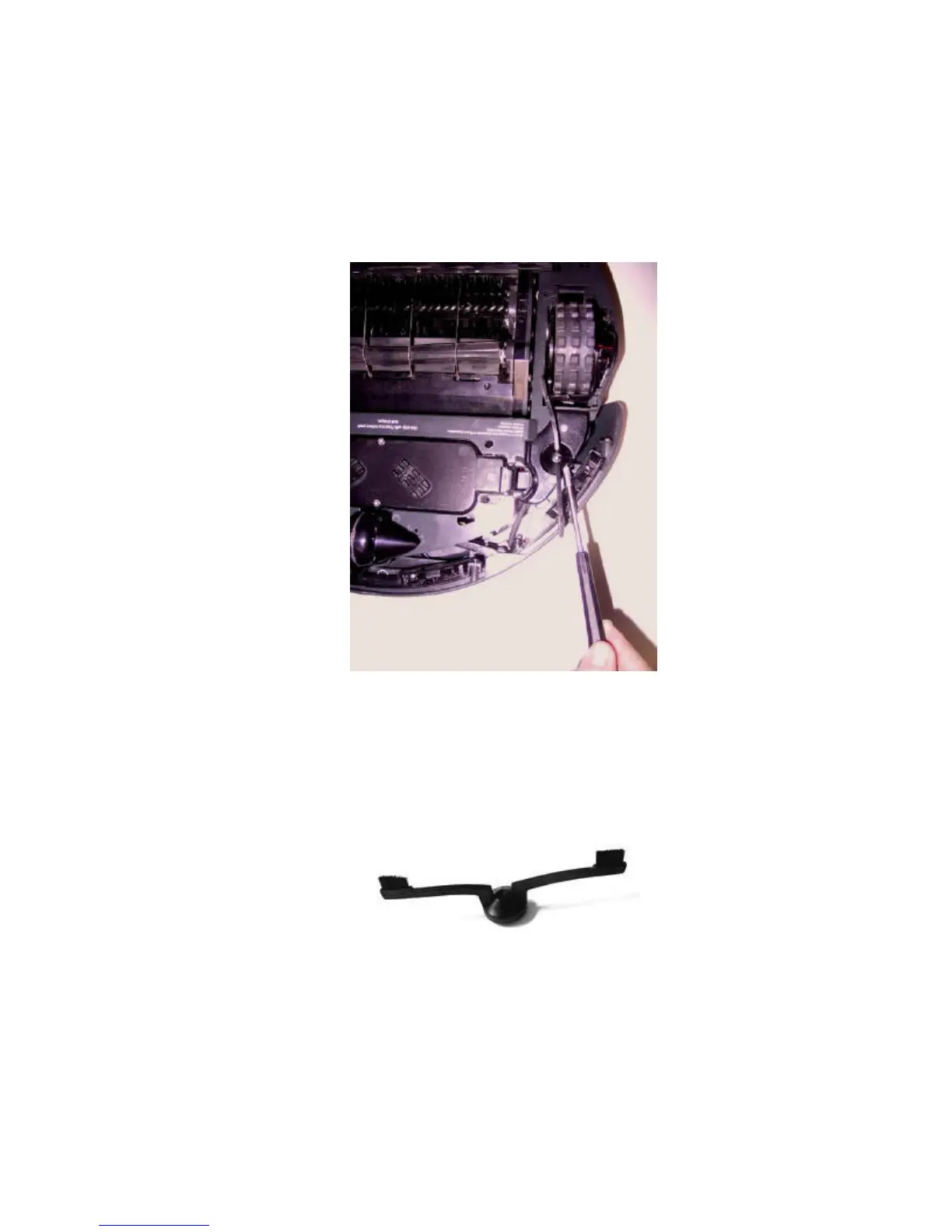
2. Turn the Spinning Side Brush so the screw head can be accessed. Point
the screw head towards Roomba’s Front Bumper, as shown in Figure 1.
Figure 1: Removing the Spinning Side Brush. Turn the Spinning Side Brush so the
screw head can be accessed.
3. Using a Phillips-head screwdriver, unscrew the Holding Screw. Place the
Screw aside.
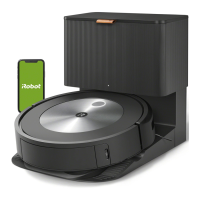
4. Pull the Side Brush (Figure 2) up and off of Roomba.
Figure 2: The Spinning Side Brush.
5. Clean out any hair or other debris that may have been caught under the
Side Brush.
6. Push the cleaned (or replacement) Side Brush onto the Side Brush Shaft.
Screw the Holding Screw back into the Spinning Side Brush.



 To Next Page