Page 3
MANUAL
iRoom‘s iDock / miniDock
English
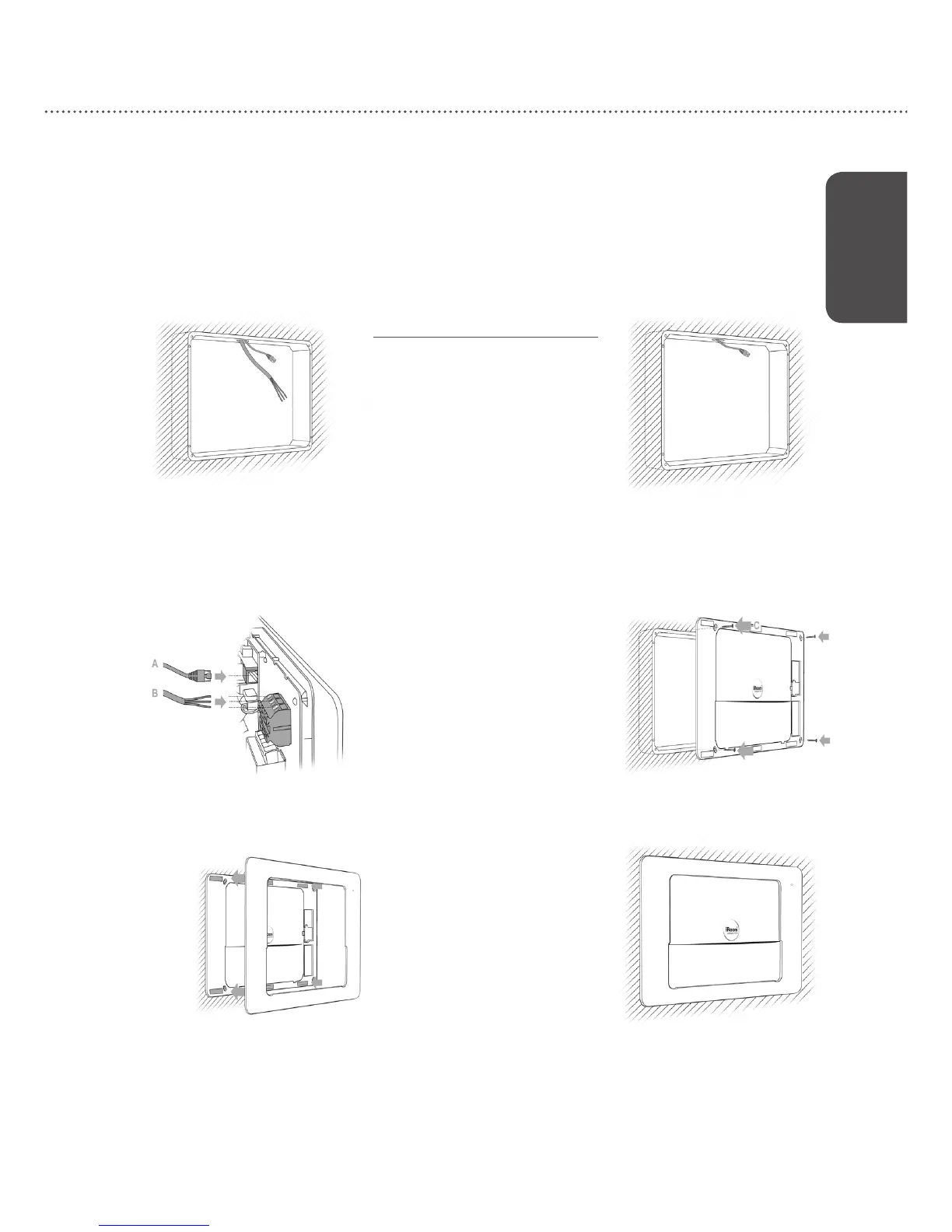
Option I: LAN & 110-240V AC Option II: PoE
+
(IEEE802.3at)
1 2
3 4
Installation of ush-mounted box
The iRoom‘s iDock may only be used with
the Backbox! The ush-mounted box is
not included in the scope of delivery and
must be purchased separately. Operating
the device without the Backbox leads to
a loss of warranty rights. Use for purposes
not intended by the manufacturer will void
warranty.
For detailed description please refer to the
"Backbox installation manual“.
Please proceed with setting up your iDock using the iOS App
″iRoom‘s iDock″
Quick Start Guide
iRoom‘s iDock Landscape
The Backbox design and method of installation differs on specic models.
This particular model can be installed in landscape orientation only.


 To Next Page