iMC-B / iMC-V Operating Instruction
page - 9
3 - operation mode switch (key switch)
Use this switch to choose between automatic- and setup-mode.
In automatic-mode you can only open the cover or safety door of
the machine if no axis is in motion and the mounted working
spindle is switched off (means that spindle does not turn).
In the setup-mode you can only open the cover or safety door of
the machine if the mounted working spindle is switched off
(means that spindle does not turn). You can just move the axes at
opened cover or safety door if you press the ACK button.
Ensure that in setup-mode (key switch on TEST) only authorized
personal operates on the machine.
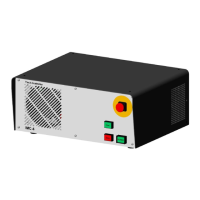
4 - start-button
If you press the start button an opened user program in the operator software ProNC
(ISO-, PAL- or NCP-file) resp. user program in control software Remote (ISO-, NCP-
or CNC-file) will be started.
If there is no user program opened a dialog window is shown where you
can select an user program.
5 - stop-button
With the stop button you can stop a running user program / axis motion. By pressing
the start button you can continue the execution of the user program.
6 - cover-button
Use this button to open the machines cover or safety door. This is possible only if the
conditions from point “3 – operation mode switch“ are complied. An enable for
opening of the cover or safety door is signalized by a white lighted cover button.
7 - fault-lamp
The fault lamp indicates an error within the safety circuit.
8 - ACK (ACKnowledge-button)
Press this button to move the axes when the machine is in setup-mode and the
cover or safety door is open.



 To Next Page