iMC-B / iMC-V Operating Instruction
page - 8
4 Hardware description
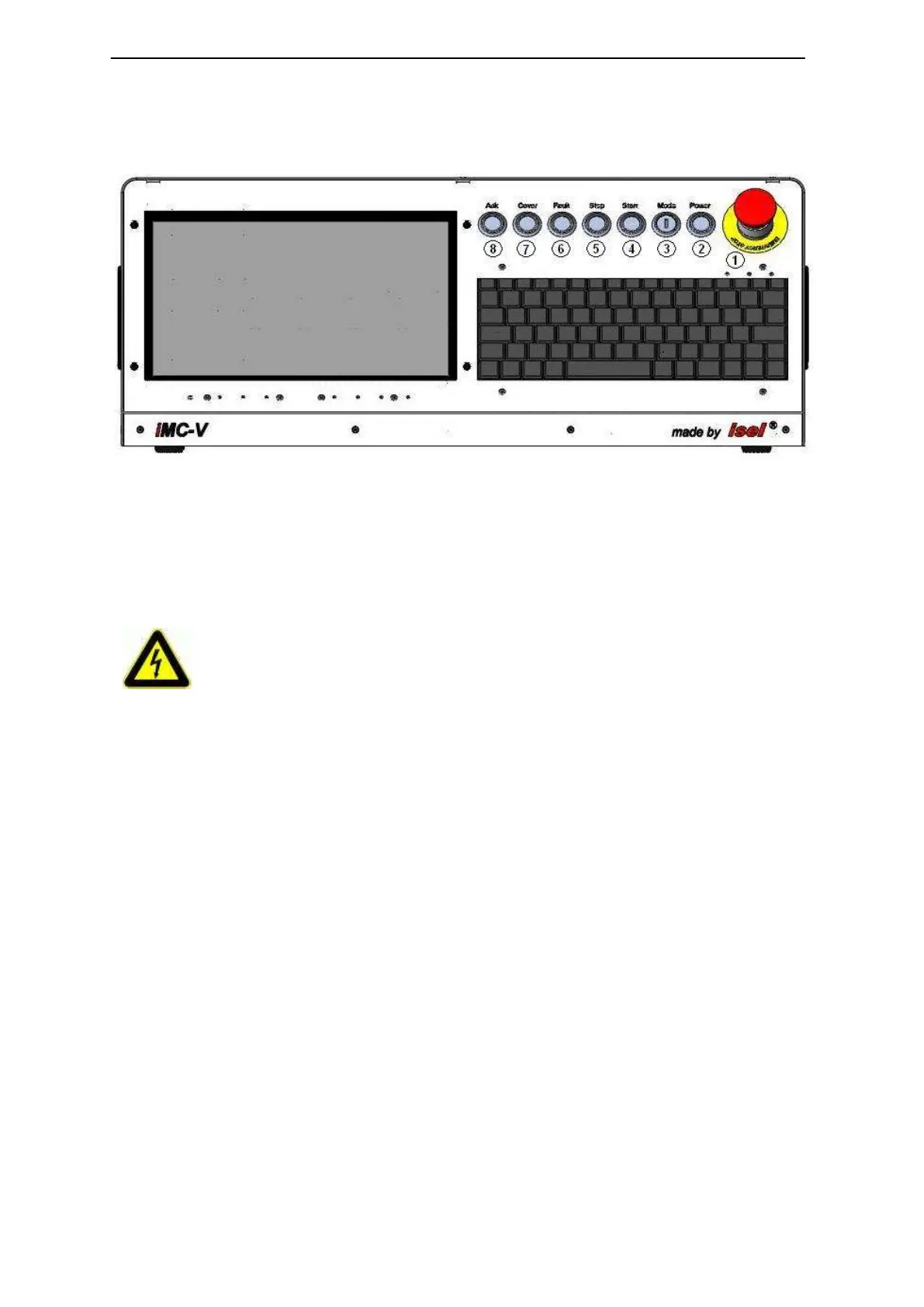
4.1 Controller front side iMC-B / iMC-V
1 - emergency-stop-switch
Turns off the power supply for the motor power amplifiers and the working spindle in
case of any danger. This means dangers for the users health or machine safety. The
integrated security circuit is applicable till safety category 3 (DIN EN945-1).
2 - power-button
Use this button to switch on motor power supply voltage for the motor power
amplifiers.
Conditions for switch on:
- Main power switch on the controller back side is switched on
- Emergency stop button is pulled out
If power supply voltage is successfully switched on the power button is lighted green.
If you push the emergency stop switch any axes motion will be slow
down controlled and the motor power supply will be time lag
switched off (stop category 1).
The main power supply voltage of 115/230VAC lies still on the
device, only the motor power supply voltage for the amplifiers is
switched off.



 To Next Page