14
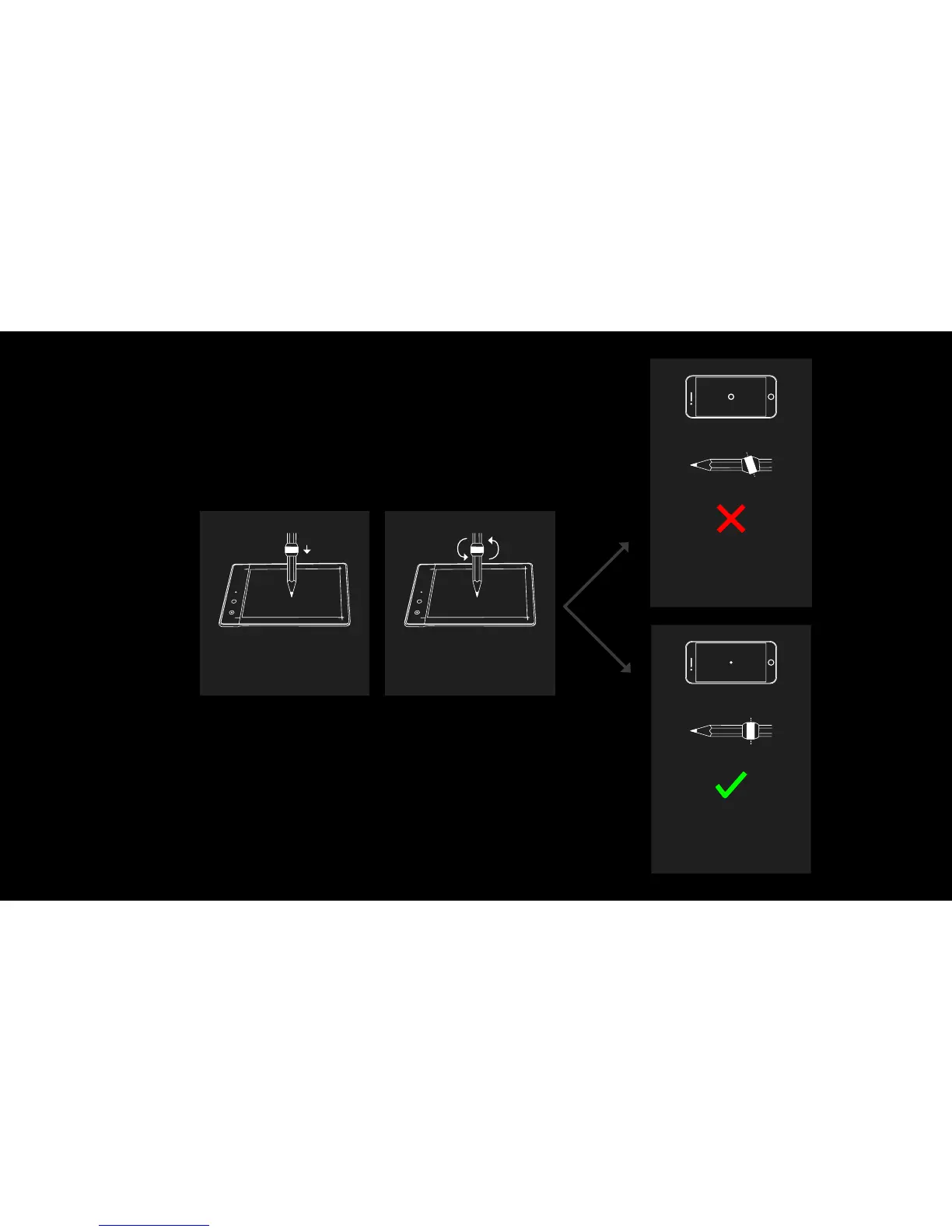
Make sure the
Ring is placed
correctly:
If the circle on the screen has a diameter
higher than 1.5mm, adjust the Ring so it
is perpendicular to your pencil.
Then renew the calibraon step and this
operaon.
=
=
=
=
3
Press the p of your pen at the center
of your Slate so it is perpendicular to
the Slate.
Rotate it around itself in a full circle
while keeping the p in the same
place.
If a point or a circle with a diame-
ter below 1.5 mm appears on the
screen, you are ready to draw
with the Ring!


 To Next Page