5
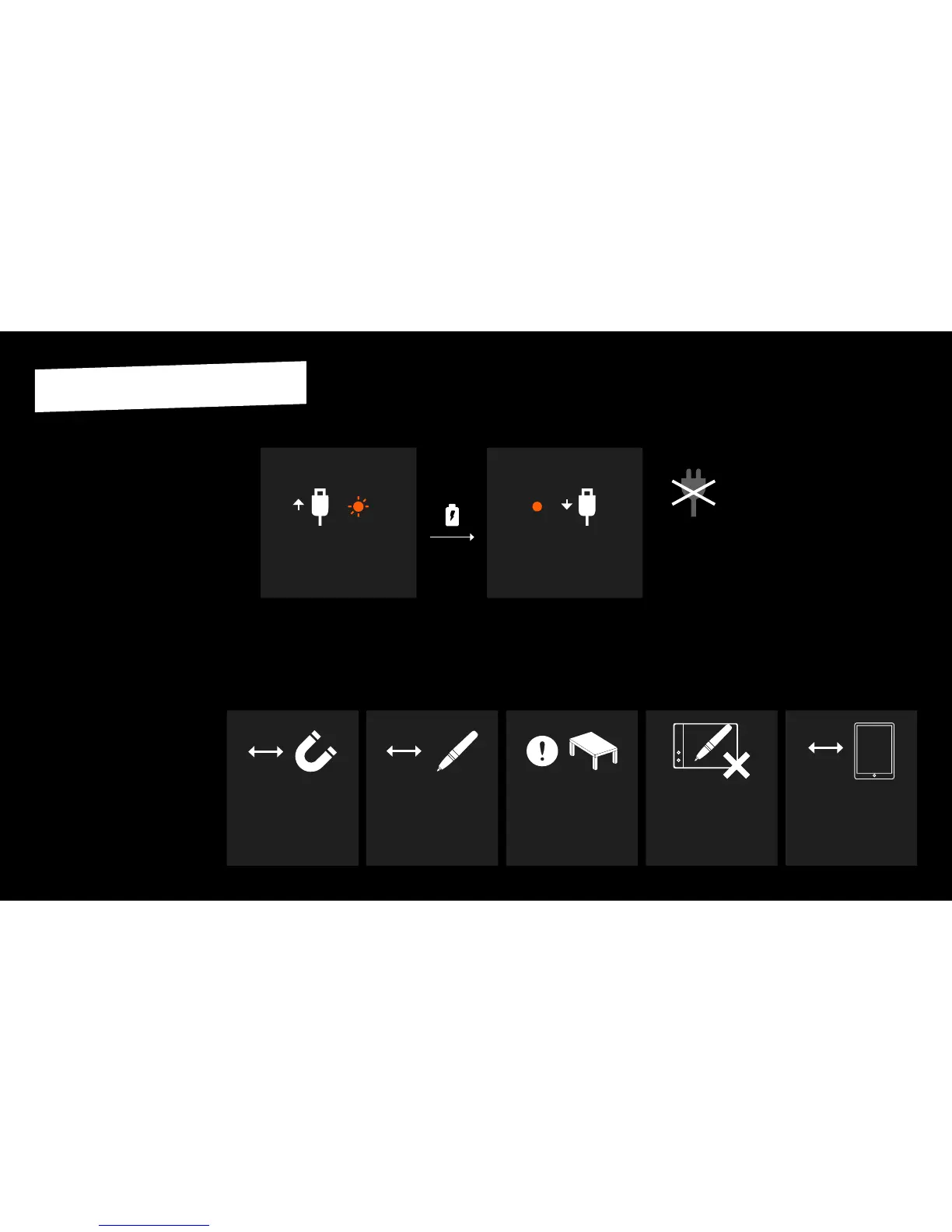
Do not try to charge your Slate
by plugging it to an AC adapter.
Connect the Slate to your
computer with the USB cable.
The side LED blinks orange.
The side LED shines orange
connuously.
Disconnect the USB cable.
START CHARGING FINISH CHARGING
3 hours
The Slate uses magnec sensor techno-
logy that requires certain condions for
opmal performance. The main elements
that can aect the Slate's precision are:
• Magnec objects in the surrounding
environment (other iskn pen or ring,
magnets, headphones, computers,
telephones, metal objects,etc).
• WiFi or other Bluetooth radio signals
that can interfere with the commu-
nicaon between the Slate and your
iPad while using the Slate in Bluetooth
mode.
Follow these rules for opmal results
when turning on and using your Slate.
Make sure never to place the
iskn Pen or Ring near the Slate
when turning it on, in order not
to disturb its detecon.
Make also sure that you do
not place the iskn pen or the
ring you will use near the Slate
when you turn it on, in order to
not disturb its detecon.
20 cm
Do not leave the iskn pen or
the ring on top of the Slate for
a long me.
CHARGE
PRECAUTIONS FOR AN OPTIMAL PERFORMANCE
BEFORE USING THE SLATE
The Slate’s baery may be drained
when you receive it. Charge your Slate
before using it for the rst me.
20 cm
Place magnec objects at least
20 cenmeters / 8 inches away
(other iskn pen or ring, magnets,
headphones, computers, te-
lephones, metal objects,etc).
We recommend you place
your Slate at least
10 cenmeters / 4 inches
away from your device.
10 cm


 To Next Page