User’s Manual WM3M4 &WM3M4C
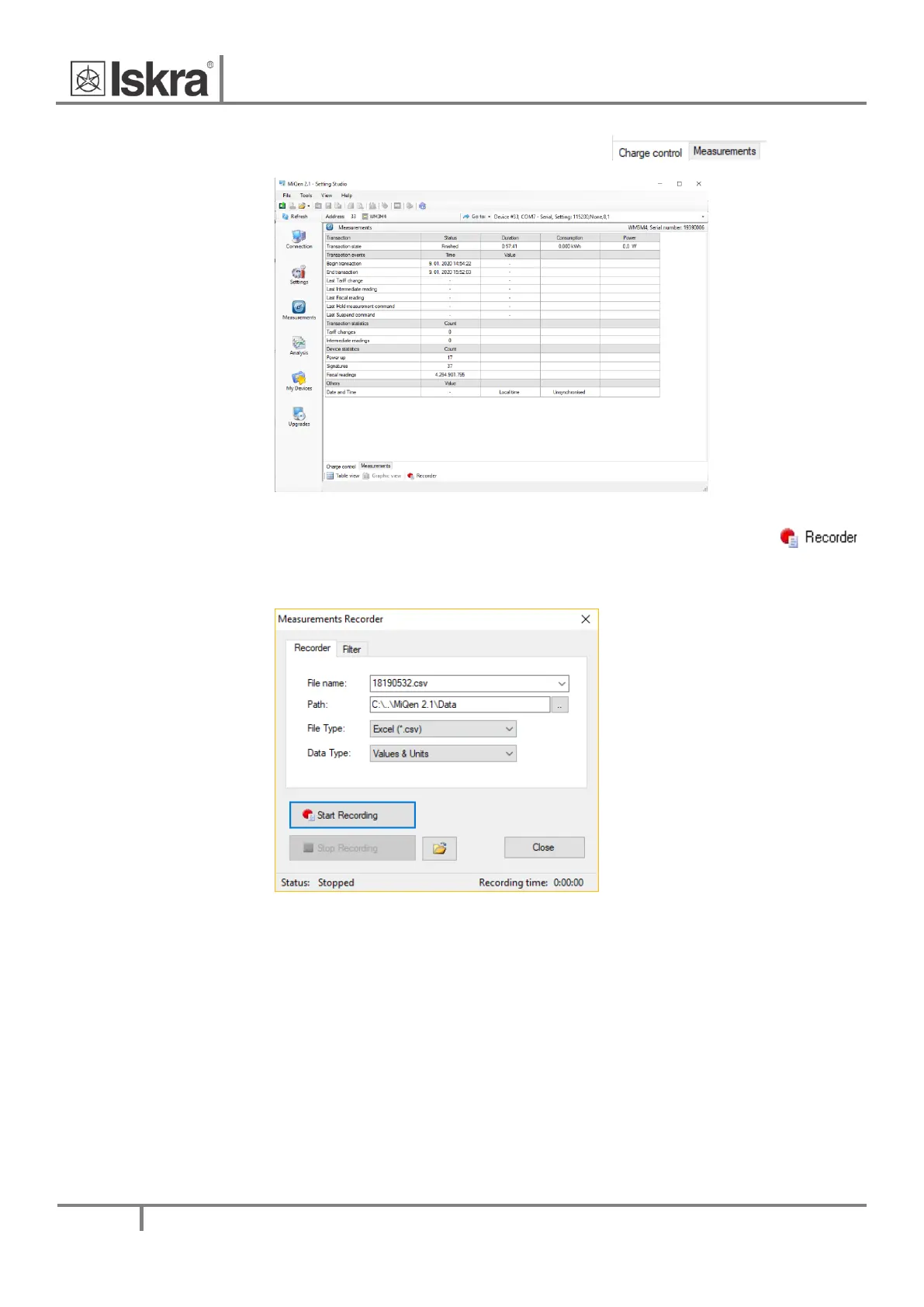
Charge control window can be selected by clicking this tab:
Figure 28: Charge control window
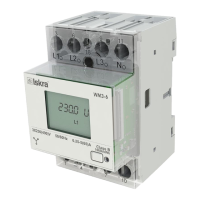
For further processing of the results of measurements, it is possible to set a recorder (
button) on the active device that will record and save selected measurements to MS Excel .csv file
format.
Figure 29: Measurements Recorder


 To Next Page