User’s Manual WM3M4 &WM3M4C
4.4 Settings
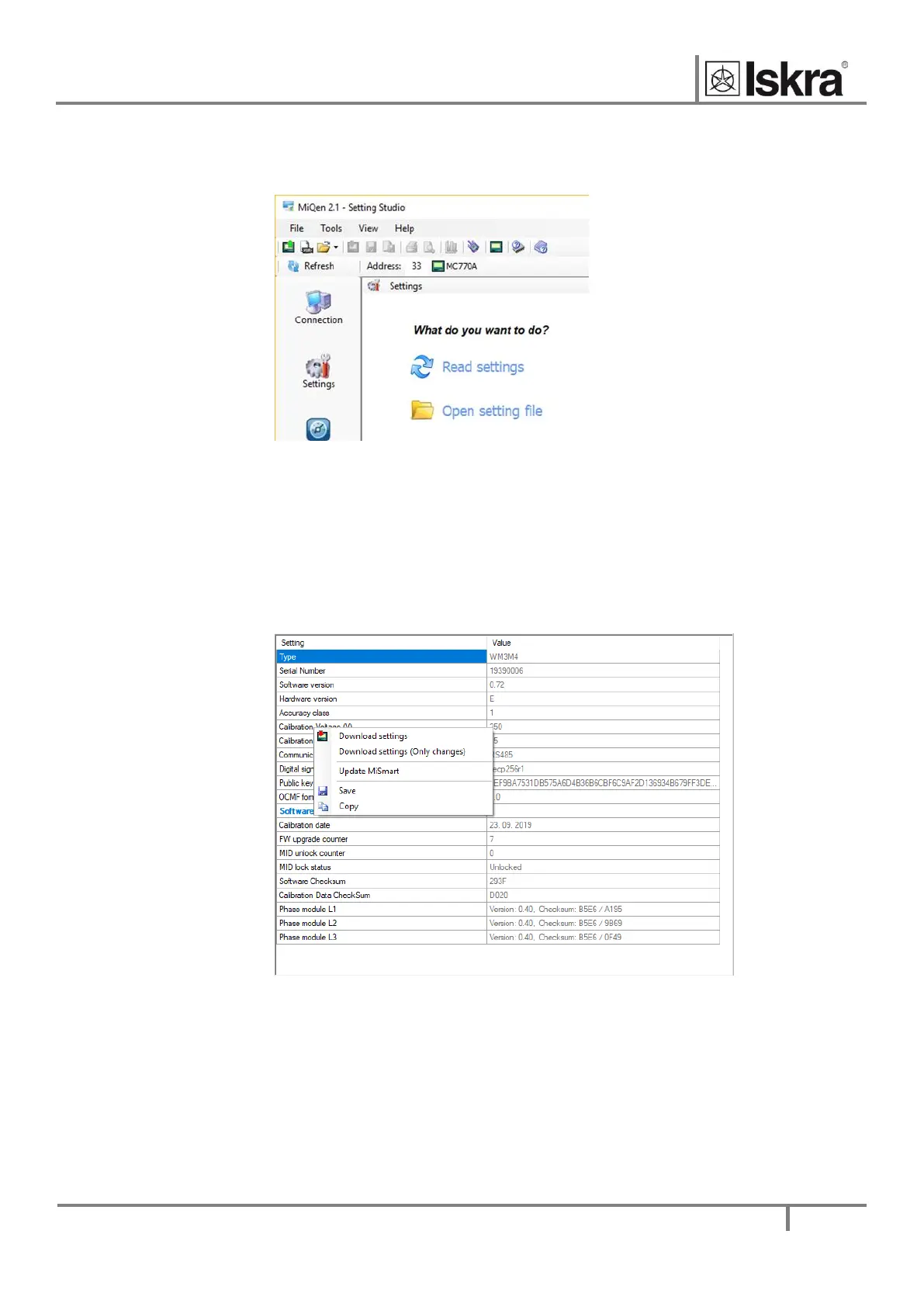
After communication with a device is established, choose icon Settings from a list of MiQen functions
on a left side.
Figure 14: MiQen Device Setting window
Choose Read settings button to display all device's settings and begin adjusting them according to
project requirement.
Settings are shown in the Settings set – the left part shows the hierarchical tree structure of settings,
in the right part, the parameter values of the selected set of parameters are displayed. In addition to
transferring the settings to the meter, there is a possibility of saving and reading from the set files.
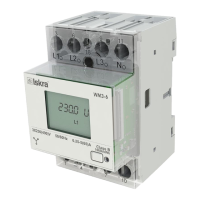
This can be done with a right click on a mouse on a certain parameter. Afterwards, a window is shown
with a save and a read icon.
Figure 15: Save and read parameters window
Those icons can also be found on a top bar.
Settings values colored in gray are informative nature only.


 To Next Page