Page
6
of
22
Chapter 2 – Operation
2‐1 Introduction to ScanKey
®
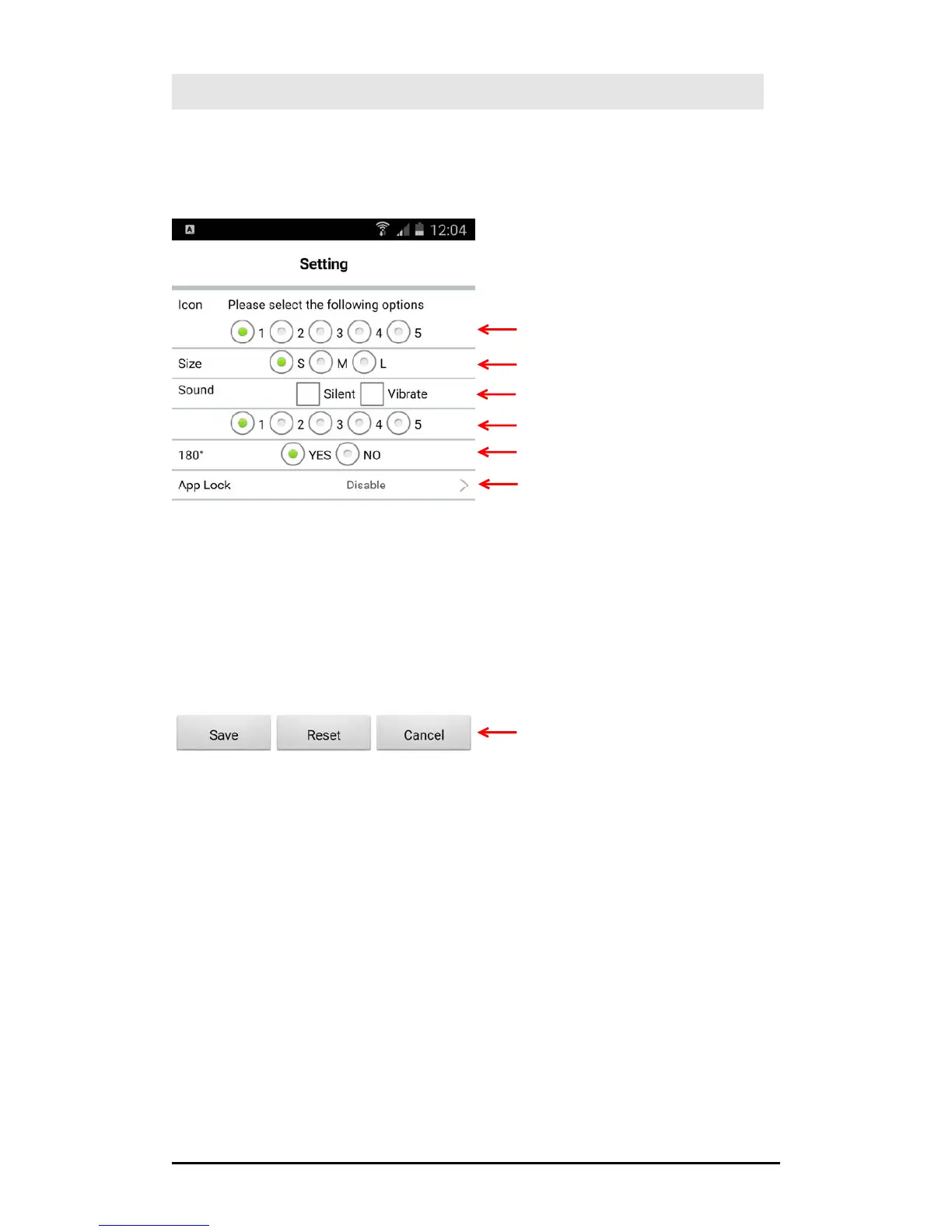
Main Setting Window
Scan Button Icon ‐ Size adjustment
Scan Sound ‐ Silent or Vibrate option
Scan Sound ‐ Tone option
180° ‐ Rotate the Scan Button upside down
App Lock ‐ Once enabled, the moment you tap
on the Scan button, the lock ed app will be
launched at once
Tap “Save” to save and exit the setting page
Tap “Reset” to reset to default
Tap “Cancel” to exit without saving the changes
Scan Button Icon ‐ Style option



 To Next Page