Programmer’s Guide ITherm™ POSjet™ BANKjet™ Installation
Ethernet Adapter
Apr-04 Rev C Page 17
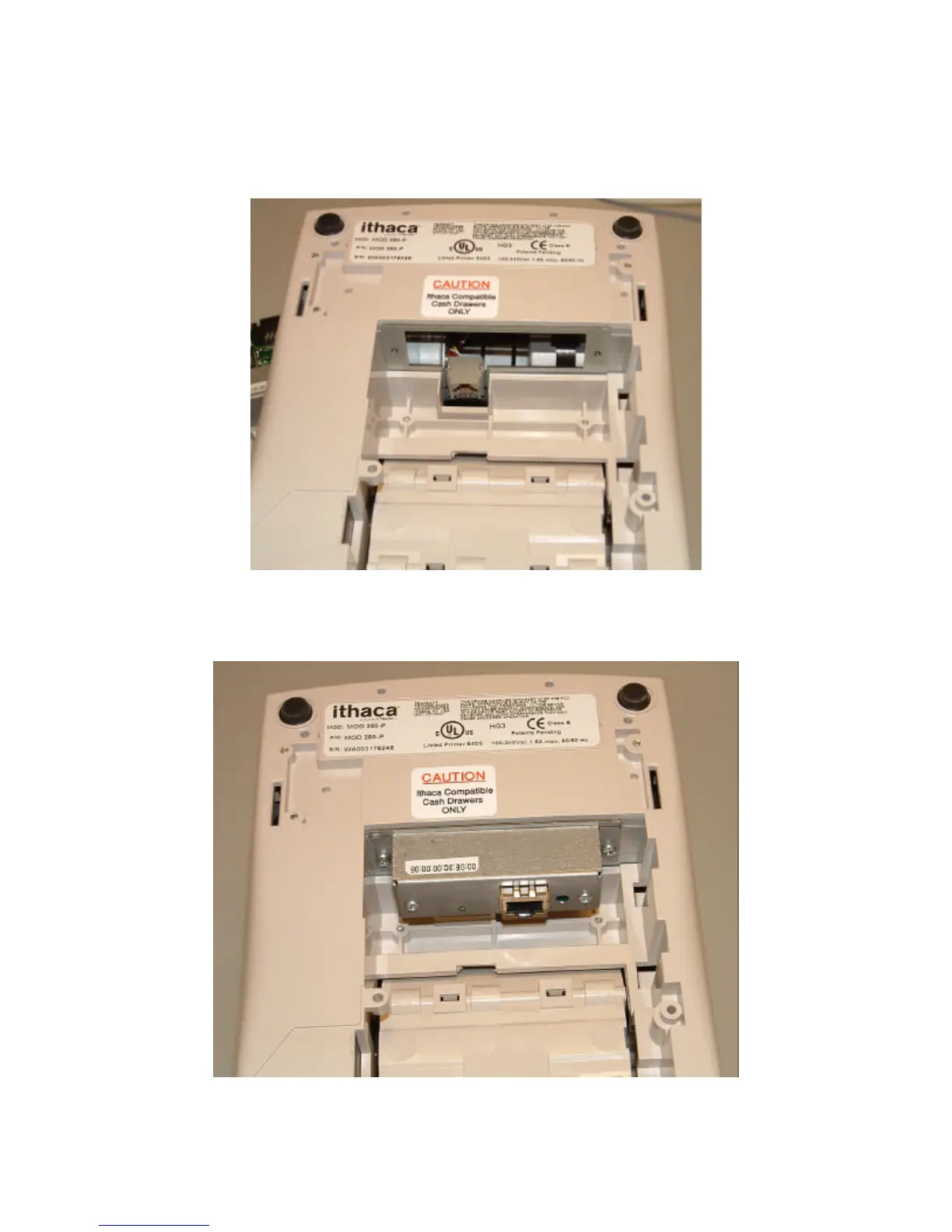
2. Remove the two retaining screws and remove the current adapter.
3. Take care that the cash drawer connector does not get out of position. If required,
reposition it as shown in the above picture.
4. Carefully insert the new adapter and make sure it is seated correctly. Do not force it.
5. Reinstall the retaining screws.



 To Next Page