Configuration ITherm™ POSjet™ BANKjet™ Programmer's Guide
Ethernet Adapter
Page 28 Rev C Apr-04
4. Select the Ports tab
5. Press the Configure
6. Edit the port address as required.
7. Select either RAW or LPR.
8. If LPR is selected, Byte Counting is not recommended.
9. In general LPR should be avoided as it is not compatible with some of the enhanced
driver features.
10. If RAW is selected, use port 9100.
To Install the Virtual COM drivers
1. Run VSerialInstall.exe.
2. Answer the questions. You must accept the license agreement to use this program.
3. Click through the two driver signing messages
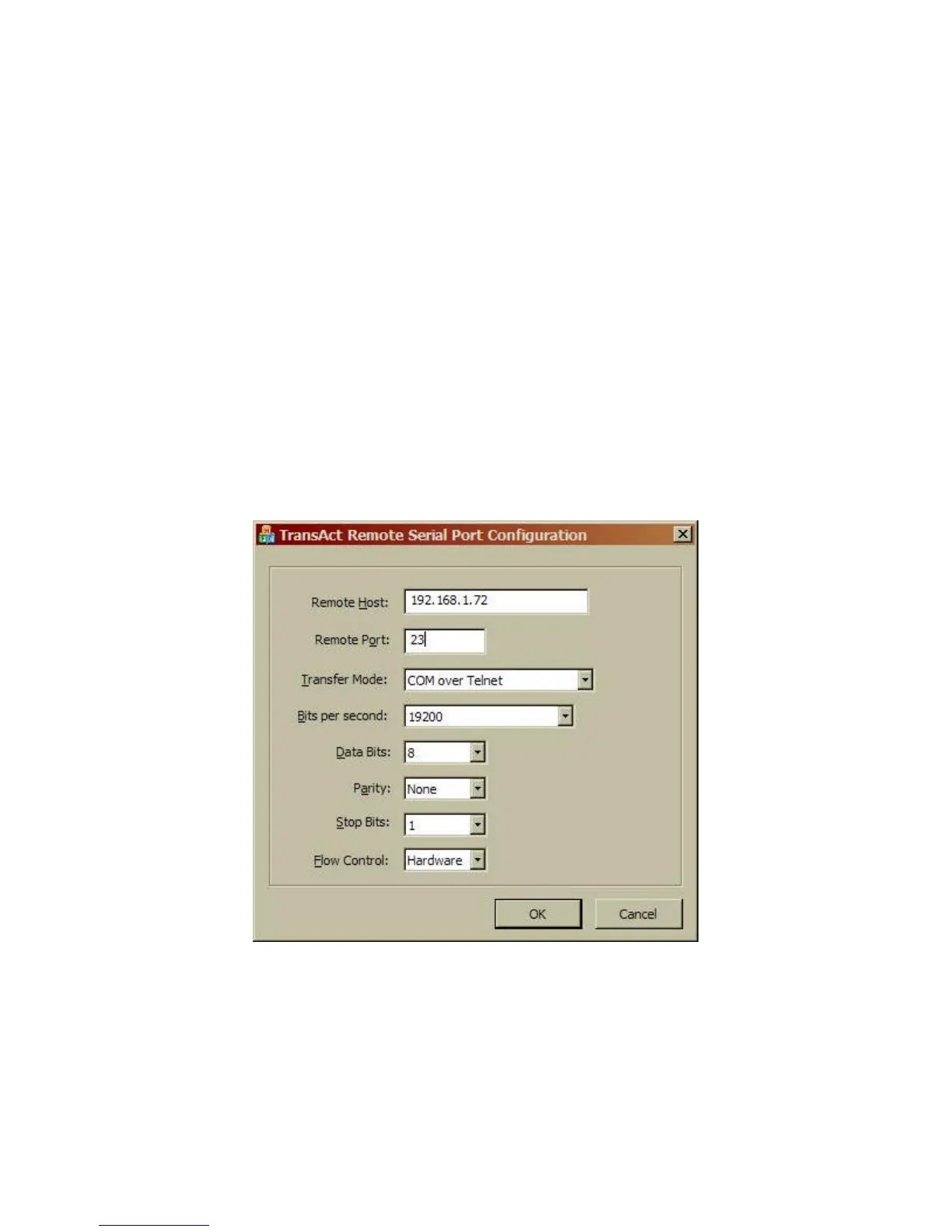
4. The following configuration screen will be presented:
5. Enter the correct IP address of the Wired Ethernet Adapter.
6. None of the Serial port options need be changed. They are not used.
7. It is recommended to reboot your system at this time.
Changing the configuration.



 To Next Page