Programmer’s Guide ITherm™ POSjet™ BANKjet™ Configuration
Ethernet Adapter
Apr-04 Rev C Page 29
A quick configuration is provided by clicking Start -> Programs -> TransAct -> Configure
Remote Serial Port
This will display the current configuration and allow it to be altered. If you want to change
the COM port being used, you must use the configuration screen on the control panel.
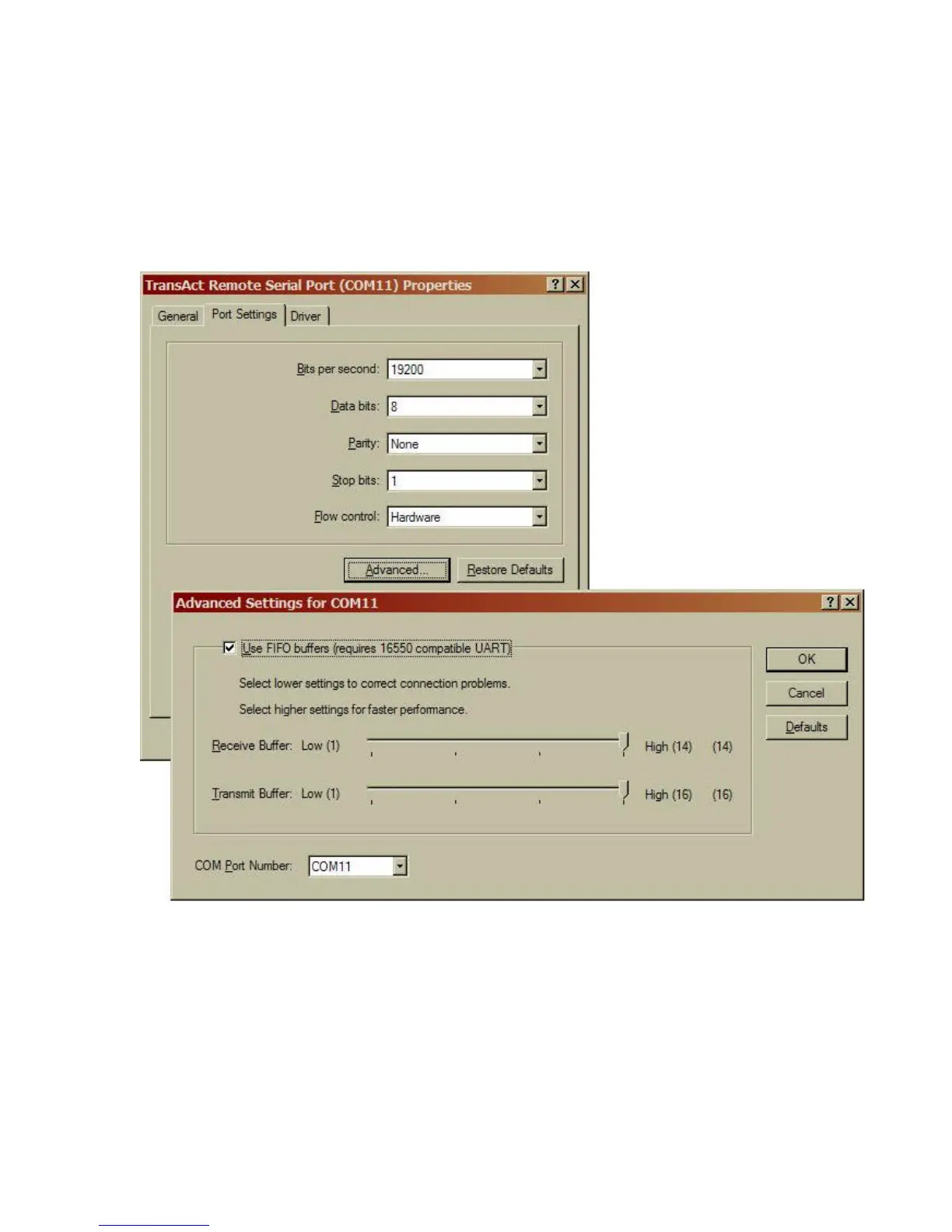
Under the system hardware settings, select “Ports (COM & LPT)”
Select the TransAct Remote Serial port.
Under the “Port Setting” tab, select Advanced button, you may select any unused COM port.
NOTE: If you change the communications port, you will have to re-boot your computer for it
to be fully effective. Some devices and drivers only enumerate the communications ports at
boot up.



 To Next Page