- 7 -
C: Store FM/DAB radio station presets (max. up to 20 stations)
In the FM/DAB radio mode, press "TUNE-" or "TUNE+" button to search
your desired station.
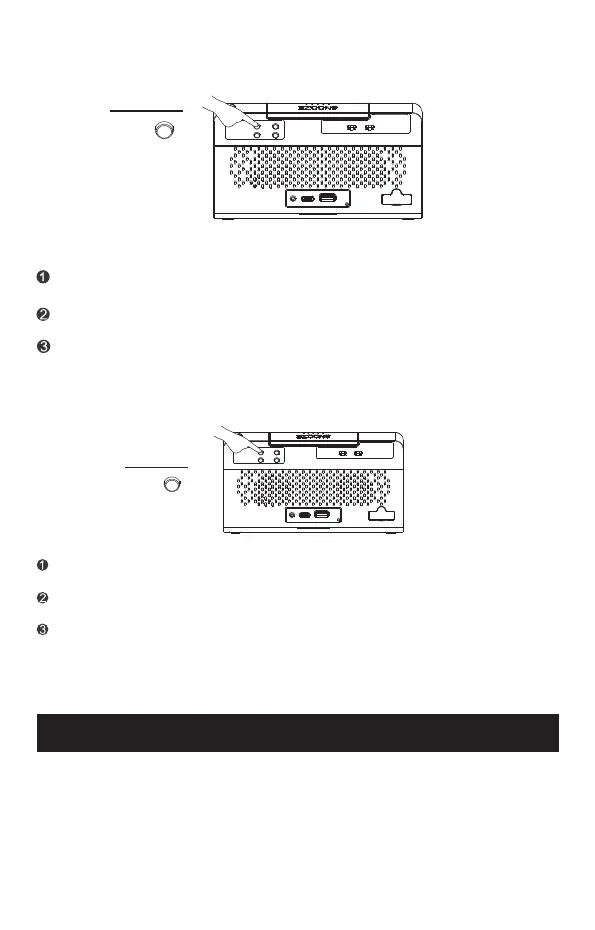
Press and hold “PRESET" button until the Program Number
(from 01 to 20) appears on the display.
Press "TUNE-" or "TUNE+" button to change to the Program Number you
desired, press "SELECT" button again and your specific station will be
stored under the selected Program Number.
D: Recall preset FM/DAB radio stations
When the radio mode is on, short press "PRESET" button and the
Program Number(from 01 to 20) will appear on the display.
Press "TUNE-" or "TUNE+" button to select your stored Program Number
and listen to your preset station.
Note: Keep the clock radio away from other electronic devices to avoid radio
interference. For better reception, fully extend and adjust the position
of the FM antenna wire.
Press "SELECT" button to play your desired radio station.
USING THE SLEEP TIMER
You can fall asleep to the FM/DAB radio using the sleep timer (The sleep
timer duration ranges from 5 minutes to 120 minutes). After reaching the
desired duration, the radio will turn off automatically.
SET
AL1
AL2
PRESET
SELECT
AL1
OFF
AL2
ON OFFON
PRESET
SET
AL1
AL2
PRESET
SELECT
AL1
OFF
AL2
ON OFFON
PRESET


 To Next Page