- 4 -
English
SETTING THE DATE/TIME MANUALLY
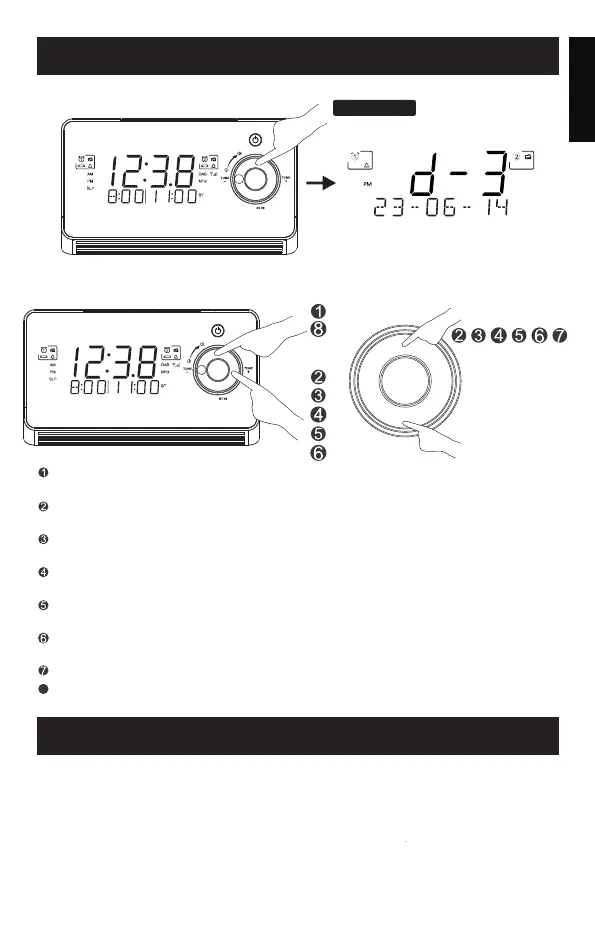
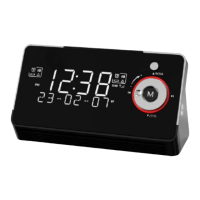
To check the current date and time, short press "MENU/INFO"
repeatedly to see the time,month,day and year.
Press the "TUNE+" button again, the YEAR digits blinks on the display,
then circulate the silver rotating knob to adjust the year.
Press the "TUNE+" button again, the 24H or 12H digits blinks on the
display, (24H means 24-hour clock, 12H means 12-hour clock).
Press the "TUNE+" button again, the MONTH digits blinks on the display,
then circulate the silver rotating knob to adjust the month.
Circulate the silver rotating knob to adjust the time format.
Press and hold "MENU/INFO" button, the HOUR digits blinks on the
display, then circulate the silver rotating knob to adjust the hour.
Press the "TUNE+" button, the MINUTE digits blinks on the display, then
circulate the silver rotating knob to adjust the minute.
SETTING THE ALARM
Push the AL1/AL2 slide swith to ON to turn on the AL1/AL2 before
setting the alarm
Your clock radio has two separate alarms (Alarm 1 and Alarm 2) that can
be set and used independently. Please ensure that you have set the
wakeup time(s) and the day(s) of the week needed for the alarms correctly.
M
MENU/ INFO
SCAN/
MENU/INFO
Press the "TUNE+" button again, the DATE digits blinks on the display,
then circulate the silver rotating knob to adjust the date.
8
Press the "TUNE+" button again or wait for 40 seconds to save your
setting.
M
MENU/ INFO
SCAN/
M


 To Next Page