SNOOZ E/ / /STO .
▲
▲
LED
▲/MEM.
MODE
-
+
VOL
TIME ZONE
PM
SLP
SNOOZE/ / /STO.
▲
▲
+
TIME
SET
DIMMER
LED
STANDBY
▲/MEM.
-
VOL
MODE
SLEEP
TIME ZONE
2-LEVEL LED DECOR
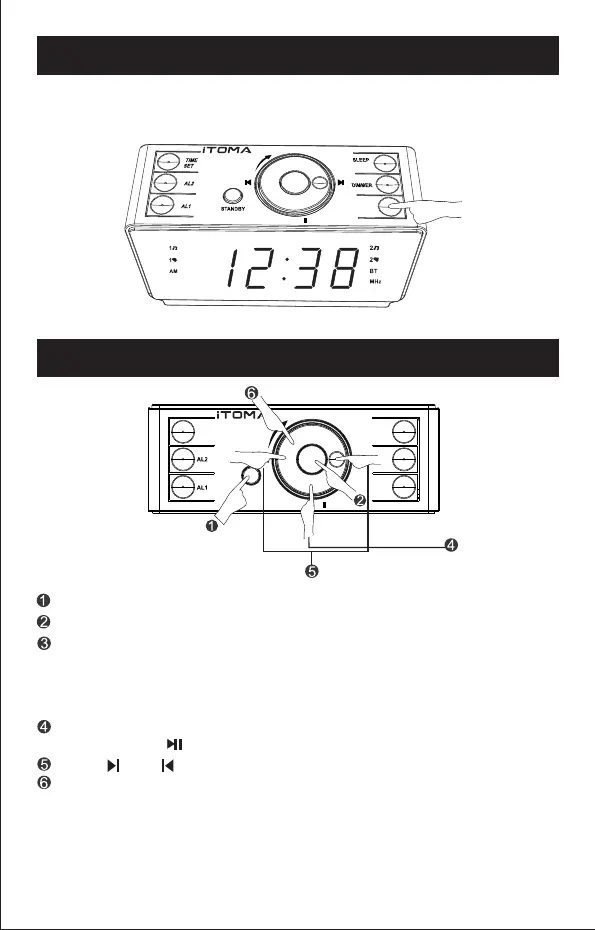
Press "LED" button to turn the ice blue light on/(high/low)of off
if needed.
BLUETOOTH CONNECTION
Press "STANDBY" button to turn on the clock radio.
Press "MODE" button to switch to Bluetooth (BT) connection.
When the "BT" indicator blinks, the clock is searching for Bluetooth
connection. Please turn on the Bluetooth of your external audio device
and look for CKS708 for connecting. Once connected, the "BT"
indicator stops blinking. Then you can play music from your external
audio device through the clock speaker.
You can control the music playing either on your external audio device
or by pressing " " button on your clock to play or pause music.
Press " " or " " to play music forwards.
Circulate the 5 in 1 rotating knob to change the volume.
- 11 -
DST


 To Next Page