Need help?
Do you have a question about the iTOUCH Connected and is the answer not in the manual?
Lists the contents included in the iTouch Connected Analog Smartwatch package.
Provides step-by-step instructions for charging the iTouch Connected Analog Smartwatch.
Explains how to navigate the analog clock face with a digital screen.
Details on how to power the iTouch Connected Analog Smartwatch on and off.
Describes the feature to rotate your wrist to turn on the watch screen.
How the iTouch Connected displays call, text, and app notifications.
Details on tracking steps, calories, distance, and active minutes.
Instructions for measuring and viewing real-time heart rate.
Guide to measuring blood oxygen saturation (SpO2) levels.
Procedure for updating the smartwatch firmware via the app.
Steps to restart the smartwatch to resolve syncing or tracking issues.
Recommendations for cleaning the band and maintaining skin health.
Advice on wearing the watch loosely to prevent skin irritation.
Information regarding FCC rules and RF radiation exposure limits.
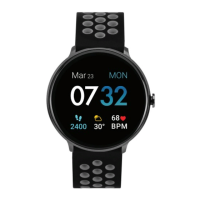
The iTouch Connected Analog Smartwatch is a hybrid device that blends the classic aesthetic of an analog watch with the smart features of a modern wearable. It's designed to keep users informed and connected without sacrificing the traditional watch experience. The device requires a smartphone (iPhone or Android) and the iTouch Wearables app for full functionality, including call, text, and app notifications.
The iTouch Connected serves as a personal activity tracker, sleep monitor, and notification hub, all integrated into a stylish analog watch face with a digital screen. It continuously tracks various stats, including steps taken, calories burned, distance covered, and active minutes. Users can set daily step goals, and the smartwatch will vibrate and display a celebratory badge upon achievement. The device also monitors heart rate and blood oxygen saturation (SpO2%), providing real-time measurements directly on the watch and detailed historical data in the accompanying app. For sleep tracking, it automatically records time asleep and sleep stages (restful, light, and awake), allowing users to view their sleep metrics and history.
Notification and messaging capabilities are central to the iTouch Connected. It displays call, text, social media, and app notifications from a paired smartphone. When a new, unread notification arrives, the LED indicator on the device blinks green. If the notification remains unchecked for 15 minutes, the LED light will stop flashing. The smartwatch vibrates to alert the user of incoming notifications. Users have control over which notifications they receive and can mute all notifications by enabling "Do Not Disturb" mode through the app.
Timekeeping functions include the ability to set up to three vibrating alarms via the iTouch Wearables app, which can be configured to occur once or on multiple days of the week. The watch also features a sedentary reminder, which can be enabled to prompt users to move during specific hours. For fitness enthusiasts, the Connected GPS feature leverages the smartphone's GPS sensors to track workout routes, total distance, steps, and calories burned during activities like running.
Beyond health and fitness, the iTouch Connected offers remote control features. It can act as a camera remote for a paired smartphone, allowing users to snap photos by tapping and holding a specific area on the watch face or by rotating their wrist if the "Activate Display After Wrist Rotation" feature is enabled.
Navigating the iTouch Connected is intuitive. The device features an analog clock face with a digital screen. Users can tap anywhere between the 2-3 o'clock area on the watch to cycle through its various features, such as steps, calories, heart rate, and blood oxygen. Tapping and holding this same area allows for control of specific features, including initiating heart rate or blood oxygen measurements, and powering the device on or off.
To power on the smartwatch, users tap and hold the 2-3 o'clock area for 3-5 seconds until the watch vibrates and the LED indicator briefly turns green. To power off, users navigate to the power icon screen by tapping the 2-3 o'clock area, then tap and hold on the power icon to fully shut down the device.
The "Motion Gesture" feature enhances usability by allowing the watch screen to turn on with a rotation of the wrist. This feature can be customized within the app, where users can set specific active times or choose to have it always on.
The iTouch Wearables app is the central hub for managing and customizing the smartwatch. It allows users to:
The app also provides a comprehensive view of all tracked data, including steps, miles, calories burned, activity duration, sleep data (restful, light, awake), heart rate trends, and blood oxygen measurements. Users can review their exercise history, set personal health and fitness goals, and track their progress over time.
Charging the iTouch Connected is straightforward. The device comes with a clip-in charging cable. Users plug the cable into a USB port (computer or UL-certified USB wall charger) and place the watch into the charging dock. A battery icon appears on the screen, and the LED indicator on the device shows a steady red light during charging. Once fully charged, the LED indicator turns green. A blinking red LED indicates the device needs charging. A full charge typically takes 1-2 hours and provides up to 10 days of battery life in standby mode, though actual battery life varies with usage. It's important to remove any plastic protector films from the case-back and heart rate sensor before charging.
The iTouch Connected is designed for daily wear, and proper care is essential for both the device and skin health. The manufacturer recommends the following cleaning and care tips:
For users with allergies, asthma, or eczema, who may be more prone to skin irritation from wearable devices, it's advised to remove the device if irritation or redness occurs. Consulting a dermatologist is recommended if symptoms persist after 2-3 days of not using the device.
Firmware updates are managed through the iTouch Wearables app. Users will receive a pop-up notification when a new update is available. The update process is initiated from the "Update Firmware" section in the app, and the smartwatch must remain within Bluetooth range of the phone during the update. After a successful update, the watch automatically resets.
If the smartwatch experiences syncing issues, problems with Connected GPS, or activity tracking, a restart can often resolve these. To restart, users navigate to the power icon screen on the watch, then tap and hold the 2-3 o'clock area to power it off. After waiting 2 full minutes, they can tap and hold the same area to turn it back on.
 General
| Fitness Tracking | Yes |
|---|---|
| Compatibility | iOS and Android |
| Touchscreen | Yes |
| Bluetooth | Yes |
| Notifications | Yes |
| Activity Tracking | Yes |
| Display Type | Color LCD |

 To Next Page