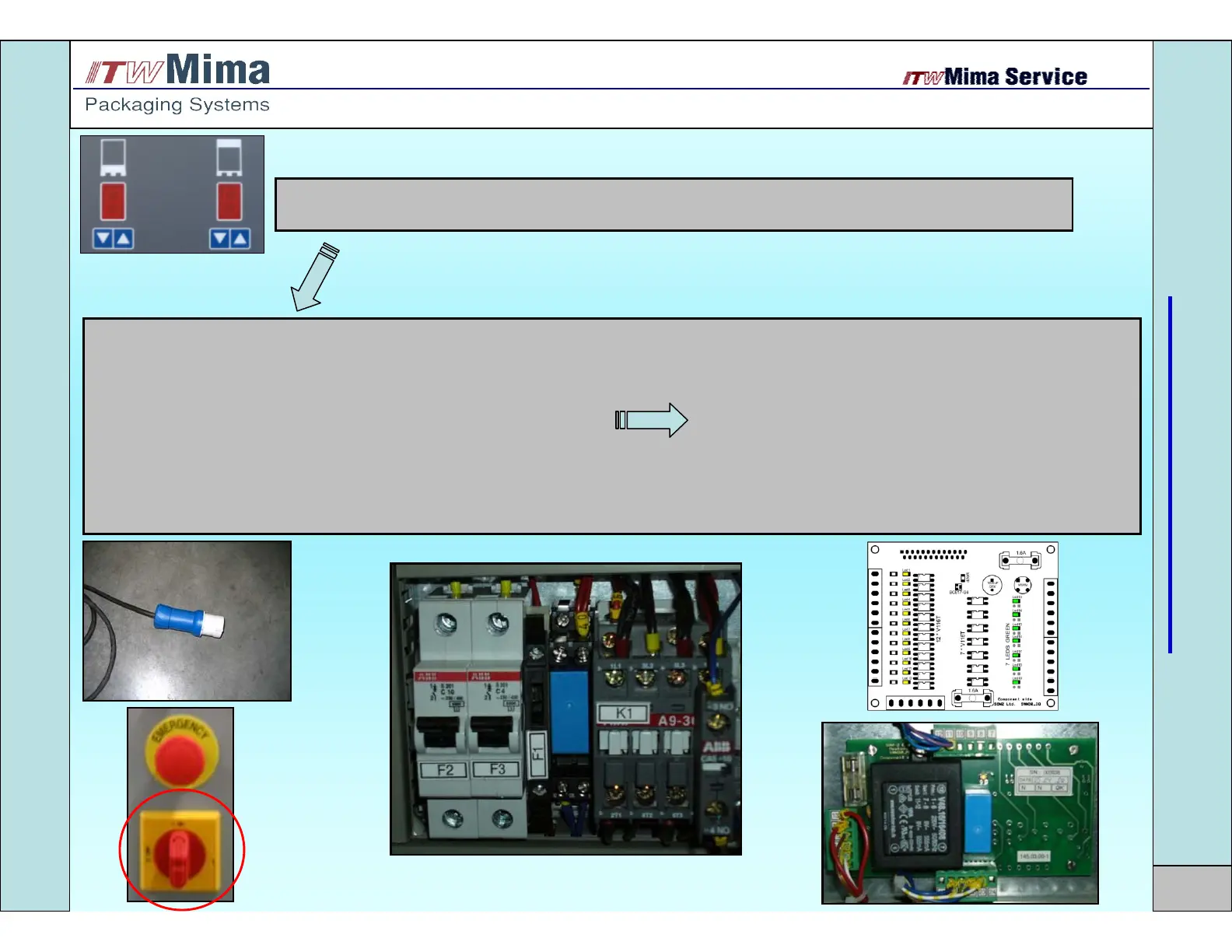
No movement, nothing on display
1. Power plug is not connected Connect the plug
2. Main switch is on 0 position Switch on the power
3. Glass-tube fuse on power board can be blowed Replace the fuse (see page 28)
4. Fuse F1 can be blowed Replace the fuse
5. Glass-tube fuse no.2 on MPU-controller can be blowed Replace the fuse (see page 27)
6. Connector 3 on MPU-controller can be disconnected Connect the plug (see page 27)
7. Connector 4 on MPU-controller can be disconnected Connect the plug (see page 27)
8. Connector 7 on Power Board can be disconnected Connect the plug (see page 28)
TROUBLESHOOTING
14
No movement, nothing on display


 To Next Page