EasyManua.ls Logo

Ivation IVAPACWIFI8K - User Manual

Ivation IVAPACWIFI8K
18 pages
Print Icon
To Next Page IconTo Next Page
Loading...
Portable Air Conditioner with Wi-Fi®
User Guide
SKUs: IVAPACWIFI8K / IVAPACWIFI10K / IVAPACWIFI12K / IVAPACWIFI13K

Questions and Answers

Summary

Product Overview and Components

Get to Know Your Air Conditioner

Identifies and labels the key external components of the air conditioner unit.

Control Panel Functions

Explains the function of each button and indicator on the device's main control panel.

Remote Control Operation

Details the features and operation of the included remote control for managing the air conditioner.

Air Conditioner Installation Guide

Air Conditioner Placement

Provides guidelines on selecting the best location and required clearance for the air conditioner.

Exhaust Hose Assembly

Instructions on connecting the exhaust hose to the unit and sealing it to the window.

Window Sealing Plate Assembly

Steps for assembling and installing the window sealing plate to vent hot air.

Final Installation Steps

Guides the user through the final steps of connecting the unit to the window assembly.

Using Your Air Conditioner

Wi-Fi Connectivity Setup

Instructions on how to connect the air conditioner to a Wi-Fi network using the mobile app.

Adding Device via EZ Mode

Step-by-step guide for adding the air conditioner to the app using the EZ connection method.

Adding Device via AP Mode

Alternative method for connecting the air conditioner to the app via AP mode if EZ mode fails.

My Ivation App Features

Overview of the app's interface, features, and settings for controlling the air conditioner.

Automated Protection Features

Explains built-in safety features like frost, thermal, and overflow protection.

Drainage Instructions

Detailed steps for draining collected water from the unit, including manual and continuous methods.

Care and Maintenance

Cleaning the Housing

How to clean the exterior surfaces of the air conditioner using a damp cloth.

Cleaning Filter Screens

Instructions for cleaning the EVA and CON filter screens to maintain performance.

Seasonal Storage Preparations

Steps for preparing the unit for long-term storage, including cleaning and protecting it.

Troubleshooting Common Issues

Operational Problems and Solutions

Lists common operational problems and their probable causes and solutions.

Technical Specifications

Model Specifications

Technical details and performance data for each Ivation portable air conditioner model.

Warranty Information

Limited Warranty Details

Details the terms, conditions, exclusions, and duration of the product's limited warranty.

Contact and Support

Customer Service Contact

Provides contact details for customer support and service inquiries.

Overview

The Ivation Portable Air Conditioner with Wi-Fi® is an all-in-one device designed to cool, dehumidify, and purify air in indoor household settings. It offers Wi-Fi connectivity, allowing users to control the unit from their smartphone, and includes a remote control for simple operation.

Function Description:

This portable air conditioner provides three primary functions: cooling, dehumidification, and ventilation. It features an air swing function to adjust the air outlet direction and a large, easy-to-read LCD display for viewing selected temperature and operating conditions. The unit includes convenient handles on each side for easy movement and a rear hook for safer power cord storage. A high exhaust vent facilitates easy assembly and better airflow. The timer switch function allows for automatic power on and off, with timing values settable between 1-24 hours in one-hour increments. Automated protection features include frost protection, overflow protection, automatic thermal protection, and compressor protection to ensure safe and extended operation.

Important Technical Specifications (across models):

The Ivation Portable Air Conditioner is available in several SKUs, each with varying cooling capacities and other specifications:

  • IVAPACWIFI8K:

    • Cooling Capacity: 8,500 BTU/hr
    • SACC: 5,500 BTU/hr
    • Dehumidification: 55 pts/day
    • Cooling Power Usage: 860 W / 7.5 A
    • Air Flow: 175 CFM
    • Power Source: 115 V / 60 Hz
    • Noise Level: 53 dB
    • Product Weight: 46.3 lbs. (21 kg)
    • Operating Temperature: 60 °F – 86 °F (16 °C – 30 °C)
    • Refrigerant: R-410A
  • IVAPACWIFI10K:

    • Cooling Capacity: 10,000 BTU/hr
    • SACC: 6,500 BTU/hr
    • Dehumidification: 65 pts/day
    • Cooling Power Usage: 1,090 W / 9.5 A
    • Air Flow: 210 CFM
    • Power Source: 115 V / 60 Hz
    • Noise Level: 55 dB
    • Product Weight: 58.4 lbs. (26.5 kg)
    • Operating Temperature: 60 °F – 86 °F (16 °C – 30 °C)
    • Refrigerant: R-410A
  • IVAPACWIFI12K:

    • Cooling Capacity: 12,000 BTU/hr
    • SACC: 8,000 BTU/hr
    • Dehumidification: 90 pts/day
    • Cooling Power Usage: 1,150 V / 10 A
    • Air Flow: 225 CFM
    • Power Source: 115 V / 60 Hz
    • Noise Level: 55 dB
    • Product Weight: 60.6 lbs. (27.5 kg)
    • Operating Temperature: 60 °F – 86 °F (16 °C – 30 °C)
    • Refrigerant: R-410A
  • IVAPACWIFI13K:

    • Cooling Capacity: 13,000 BTU/hr
    • SACC: 8,500 BTU/hr
    • Dehumidification: 105 pts/day
    • Cooling Power Usage: 1,150 V / 10 A
    • Air Flow: 225 CFM
    • Power Source: 115 V / 60 Hz
    • Noise Level: 55 dB
    • Product Weight: 62.8 lbs. (28.5 kg)
    • Operating Temperature: 60 °F – 86 °F (16 °C – 30 °C)
    • Refrigerant: R-410A

Usage Features:

The air conditioner can be controlled via its integrated control panel, an included remote control, or the My Ivation® App.

  • Control Panel & Remote Control:

    • Power Button: Turns the unit on/off.
    • Mode Selection Button: Cycles through cooling, ventilation, and dehumidification modes.
    • LCD Display: Shows selected temperature and operating conditions.
    • Up/Down Buttons: Adjust selected temperature or timing values. Simultaneously pressing both buttons toggles between Fahrenheit (°F) and Celsius (°C).
    • Fan Speed Button: Toggles between high, medium, and low fan speeds (not selectable in dehumidifying mode).
    • Timer Button: Sets automated power on/off.
    • Wi-Fi Indicator Light: Shows Wi-Fi connection status.
    • Swing Button (Remote): Selects automated power on/off.
    • °C-°F Button (Remote): Toggles between Fahrenheit (°F) and Celsius (°C).
  • My Ivation® App:

    • Device Settings: Access device name, location, and sharing settings.
    • Temperature Display: Toggle between Celsius and Fahrenheit.
    • Mode Icons: Displays current operating settings.
    • Mode Selection: Toggle between cool, fan, and dry modes.
    • Fan Speed: Select fan speed.
    • Swing: Turn fan swing on/off.
    • Timer: Set a timer for when the device turns on/off.
    • Schedule: Set a run schedule.
    • Temp Adjustment: Adjust temperature setting up or down.
    • On/Off: Power the device on or off.
    • Night Mode: Toggle Night Mode on or off.
    • Wi-Fi Connectivity: The app facilitates connecting the air conditioner to Wi-Fi using either EZ Mode (rapid blinking indicator light) or AP Mode (slow blinking indicator light). Users register an account, add the device, select the model, confirm Wi-Fi network and password, and can then name and locate the device within the app.
  • Installation:

    • The unit should stand upright for at least two hours before powering on.
    • It should be placed in a flat, dry area, at least 20 inches (50 cm) from walls or surrounding objects.
    • The exhaust hose assembly, potentially with a heat preservation sleeve, is screwed into the exhaust vent.
    • The window sealing plate assembly is mounted horizontally or vertically in a half-open window, extended to fit the frame, and secured with clips.
    • The flat end of the exhaust hose joints snaps into the window sealing plate. The exhaust hose length is between 11″ – 59″ (28 – 150 cm) depending on the model, and should not have bends or angles greater than 45 degrees to ensure unobstructed ventilation.
  • Drainage Instructions:

    • Manual Drainage: Power off and unplug the unit. Carefully move the unit to prevent spills. Align the water plug with a receptacle, unscrew the plug, and let water drain. Tip the unit slightly to ensure complete draining. Reinsert the water plug and tighten the drainage cover after draining.
    • Continuous Drainage: Unscrew the drainage cover, remove the water plug, insert a drainage hose into the water outlet, and run the hose to a receptacle.

Maintenance Features:

Regular cleaning and maintenance are recommended to ensure optimal performance and longevity of the air conditioner.

  • Before Maintenance: Always power off and unplug the unit.
  • Cleaning the Housing: Clean the front and rear housings with a damp cloth. Avoid chemical solvents like benzene or alcohol.
  • Cleaning the Filter Screens: Clean filter screens every two weeks for best results.
    • EVA Filter Screen Frame: Slide the wedging block downward to remove the frame. Remove four screws connecting the screen to the rear housing. Vacuum lint and dust. Soak the screen in warm water with neutral detergent (104 °F/40 °C). Rinse and air dry in a shady area before reinstalling.
    • CON Filter Screen Frame: Pull the handle gently to remove. Vacuum lint and dust. Soak in warm water with neutral detergent (104 °F/40 °C). Rinse and air dry in a shady area before reinstalling.
  • Seasonal Storage Preparations:
    • Power off, unplug, and wrap the power cord around the hook.
    • Unscrew the drainage cover and water plug, and completely drain the unit.
    • Run the air conditioner on a low fan speed in ventilation mode to dry the inside, preventing mildew. Reinstall the water plug and drainage cover once dry.
    • Remove and store the exhaust hose in a safe place.
    • Cover the air conditioner with original packaging or a plastic bag and store in a safe, dry place.
    • Remove batteries from the remote control to prevent acid damage.

Automated Protection Features:

  • Frost Protection: Automatically defrosts if the exhaust hose temperature becomes too low, indicated by a heating symbol flashing on the LCD screen. Resumes normal operation once temperature normalizes.
  • Overflow Protection: If the water reservoir level exceeds a certain amount, the unit beeps and displays "FL". Requires drainage to resume operation.
  • Automatic Thermal Protection: Stops the compressor and lower motor if the unit becomes too hot, resuming operation once the unit cools down.
  • Compressor Protection: Initiates a three-minute delay before powering on the compressor to extend its lifespan.

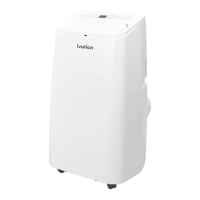
Ivation IVAPACWIFI8K Specifications

General IconGeneral
BrandIvation
ModelIVAPACWIFI8K
CategoryAir Conditioner
LanguageEnglish

Related product manuals