3.2 SmartVac Functions
Cleaning Modes
Before initiating any of the following cleaning
modes, make sure the robot is currently
powered on, via the power switch.
Note: If the robot is in Sleep mode, press the
Power button on your vacuum remote to
awaken the robot. Robot will be ready to clean
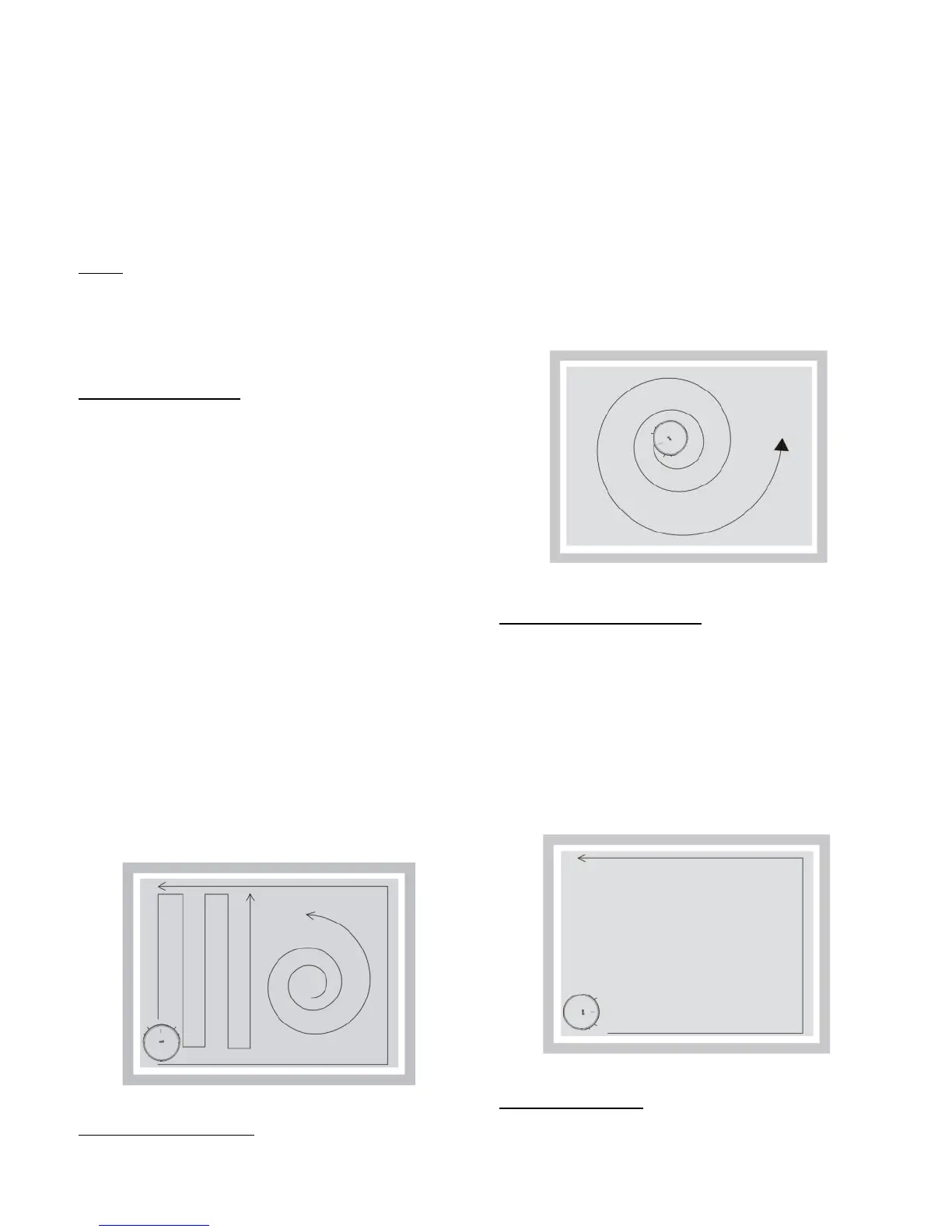
Auto Clean Mode
The robot vacuum uses an advanced
navigation system that calculates the best path
to efficiently clean your room. While it’s in
Auto Clean mode, it will clean rooms
automatically in a zigzag pattern and adjust its
path according to its environment.
You can activate Auto Clean mode by pressing
the AUTO button on the remote, robot, or via
the app.
Auto Clean mode can be terminated at any
time, by pressing any of the cleaning job
buttons on the robot itself or on the remote.
2 Spot Clean Mode
Place the robot in the desired area to spot
clean. Press the Spot cleaning button on the
remote, robot, or via the app to activate spot
cleaning mode.
Robot will begin cleaning in a spiral pattern
and will stop once the job is complete. Spot
cleaning mode can be terminated at any time,
by pressing any of the cleaning job buttons on
the robot itself or on the remote.
Edge Cleaning Mode
Place the robot close to a wall and press the
Edge Cleaning button. The robot will clean the
edges of the room. Edge cleaning mode can be
terminated at any time, by pressing any of the
cleaning job buttons on the robot itself or on
the remote.
4 Full-Go Mode
During any cleaning mode, press the D button
on the remote to activate Full-Go Mode. While


 To Next Page