EasyManua.ls Logo

IVIEW Smart Vacuum - Troubleshooting and Specifications; 5. Troubleshooting

IVIEW Smart Vacuum
19 pages
Print Icon
To Next Page IconTo Next Page
To Previous Page IconTo Previous Page
Loading...
5. Troubleshooting
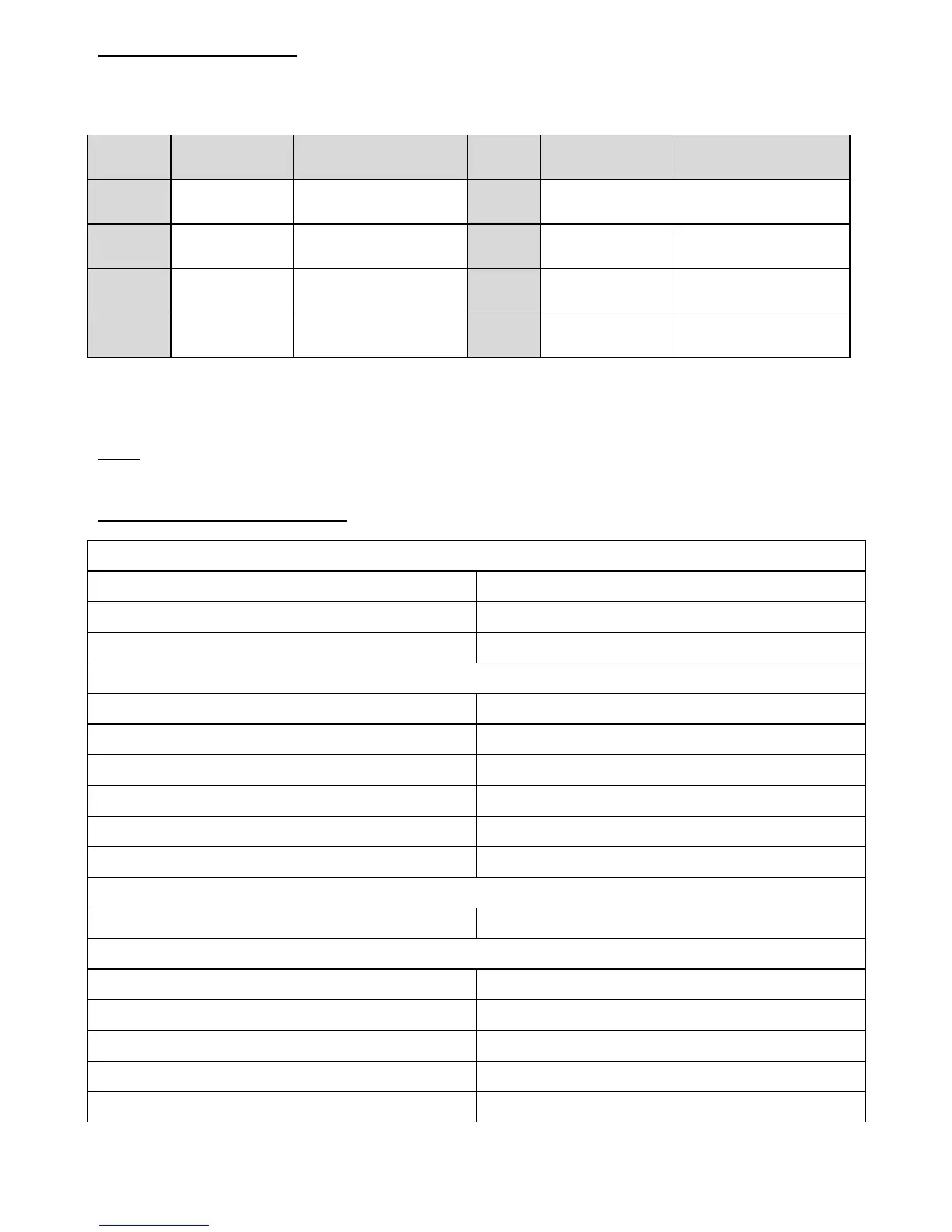
If the robot detects any issues, they will be displayed as an Error code on the LED Panel.
You can use the table below to troubleshoot the issue and find the correct solution
Error
Codes
Causes
Solutions
Error
Codes
Causes
Solutions
Er 01
Right side
brush stuck
Remove objects
wrapped around brush
Er 05
Right wheel
fault
Clean the right
wheel of blockage
Er 02
Left side
brush stuck
Remove objects
wrapped around brush
Er 06
Vacuuming
motor fault
Remove objects
wrapped around roller.
Er 03
Main brush
stuck
Remove objects
wrapped around brush
Er 07
Anti-falling
sensor fault
Clean the
anti-falling sensors
Er 04
Left wheel
stuck
Clean the left wheel
of blockage
Er 08
Wheel off the
ground
Put the robot on
solid ground
If above solutions do not work, reset the robot by switching of the unit and then turn it on and
check for errors again.
Note: If it still doesn’t work after device reset, contact after-sales or local distributor.
6. Device Specifications
Mechanical Specification
Diameter
320mm
Height
88mm
Weight
3.0KGS
Electrical Specification
Rated Power (W)
14.8
Rated Voltage (V)
18
Rated Output Voltage (V)
19
Rated Output Current (A)
0.6
Battery
2600mAh Lithium
Remote Control
Input Voltage (V)
3
Other Parameters
Dust Box
600ml
Water Tank (Optional)
300ml water box + 600ml dust box
Cleaning Modes
Auto (with Zigzag), Spot, Edge, Schedule
Charging Time
180-240min
Cleaning Time
80-120min

Other manuals for IVIEW Smart Vacuum