A
A
B
C
C
B
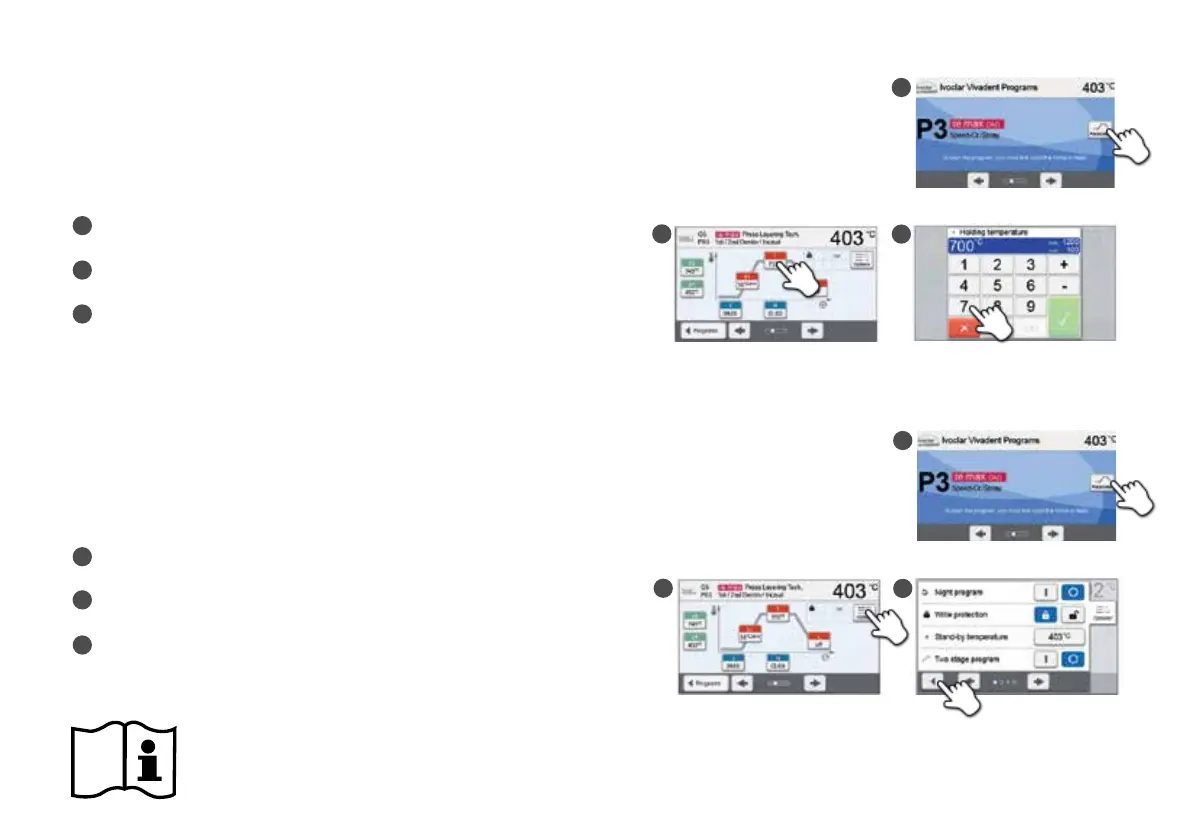
4. Editing the firing parameters
Parameters are set or edited in two steps.
Example: Setting the holding temperature
In the program screen, press the [Parameter] button.
Press the [T] button.
Enter the desired holding temperature and confirm
by pressing the green button.
The holding temperature has been changed successfully. All parameters
shown in the firing curve can be changed / edited the same way.
Changing program options
By pressing the [Options] button, the menu for additional program options opens.
Example: Open the write-protection program
In the program screen, press the [Parameter] button.
Press the [Options] button.
Edit the desired option and return to the program view
by pressing the [Close] button.
Ivoclar Vivadent programs are partially blocked and cannot be edited.
Please refer to the Operating Instructions for more detailed information.
B
B
C
A
A
C















 To Next Page