26
5.2.2 Program selection
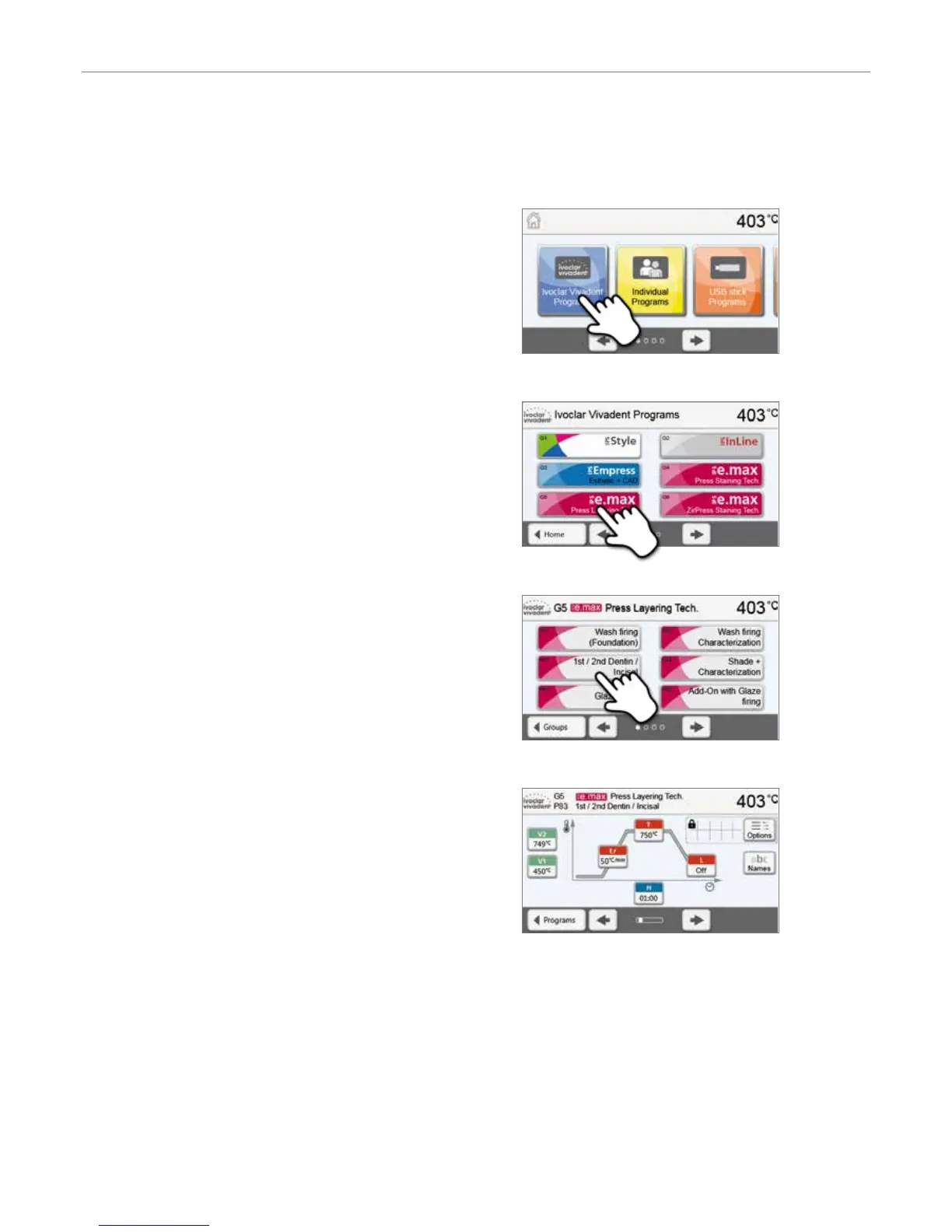
The program selection requires only few steps:
1. Select program type.
3. Select the program.
4. Start program or edit program parameters.
The firing program can now be started or, as an alternative, the
program parameters can be changed.
2. Select program group.
Quick program selection
Pressing the P key switches to the program screen of the current program. When the program screen is shown, pressing
the P key again switches to the quick program selection by means of number entry.
5. Operation and Configuration


 To Next Page