27
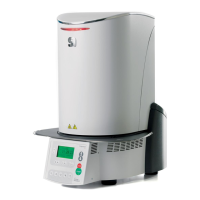
2. Enter the desired holding temperature and confirm with
the green button.
The holding temperature has been successfully changed. All other
parameters shown in the firing curve can be changed / edited in the
same way.
Browsing the programs
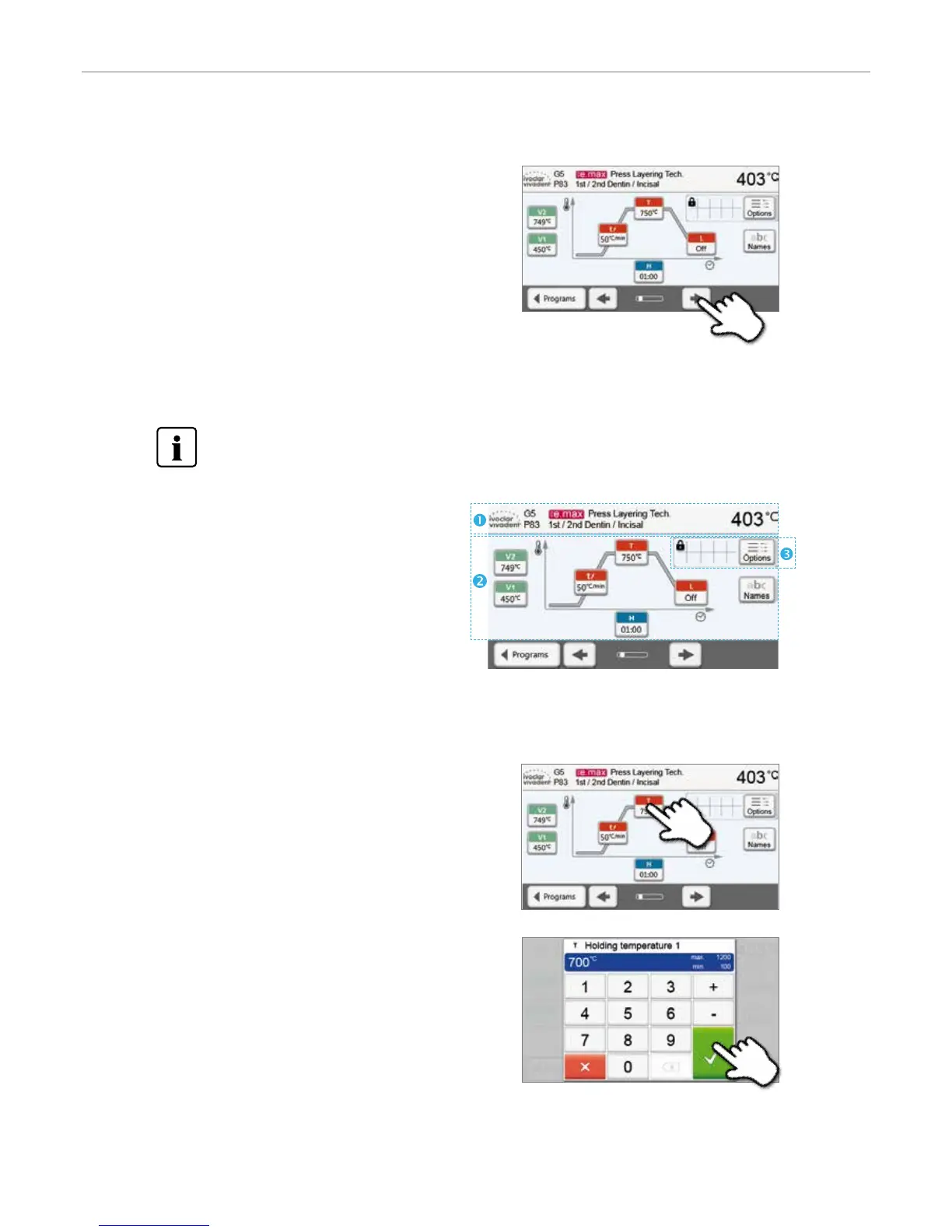
If a program has been selected, the neighbouring programs can be
accessed by pressing the [Arrow] buttons.
5.2.3 Program screen / Editing programs
If a program has been selected, the program screen is displayed. The firing programs can be changed or edited in this
screen.
For Ivoclar Vivadent programs, the write-protection must be deactivated first before any parameters can be
changed.
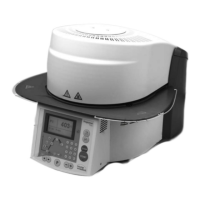
The following information is displayed:
1. Information bar:
– Program designation
– Current furnace temperature
2. Firing curve
– Closing time, holding time
– Temperature increase rate, holding temperature,
long-term cooling
– Vacuum on, vacuum off
3. Program options:
In addition to the parameters shown in the firing curve,
several other options are available that can be activated by pressing the [Options] button. The icons in the grid show the
activated options.
Editing parameters
Parameters are entered or edited in two steps.
Example: Setting the holding temperature
1. Press the [T] button.
5. Operation and Configuration


 To Next Page