35
Changing the operating indicator
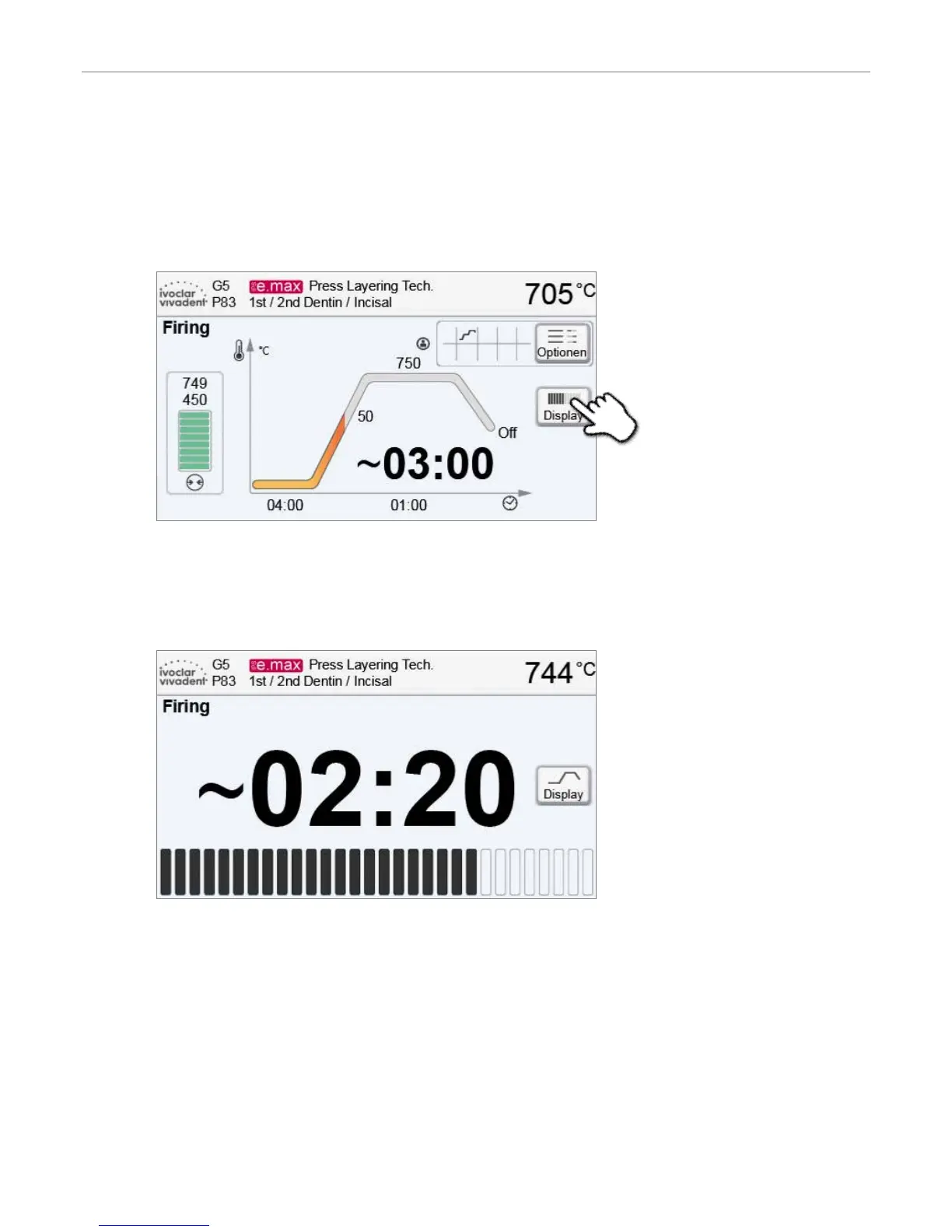
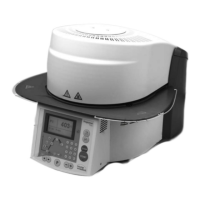
The active firing program can be displayed in two ways:
– Operating indicator “firing curve”
– Operating indicator “remaining time”
If the [Display] button is pressed during an active program, the operating indicator can be switched.
If the [Display] button is pressed while the firing curve is displayed, the remaining time will be shown. The remaining time
indicator informs the user about the time that is left until the process is completed even from a distance. The remaining
time is displayed in the centre of the screen in large characters.
The factory settings of the furnace are such that the firing curve is automatically displayed upon the start of a program.
5. Operation and Configuration


 To Next Page