36
5.2.7 Pausing the active program
– Press STOP once to pause a running program (green LED flashing). Press the STOP key twice to completely stop the
program or press START to continue.
– If the program is paused, the display shows a flashing “Pause” and the indicator changes back to the program screen.
– If a program is stopped prematurely, “Vacuum release” is shown in the display during the flooding of the firing
chamber.
5.2.8 Changing the parameters while the program is running
Most program parameters, which have not yet been executed, can be changed while the program is paused. Change the
parameters as described in Chapter 5.2.3.
5.2.9 Renaming programs
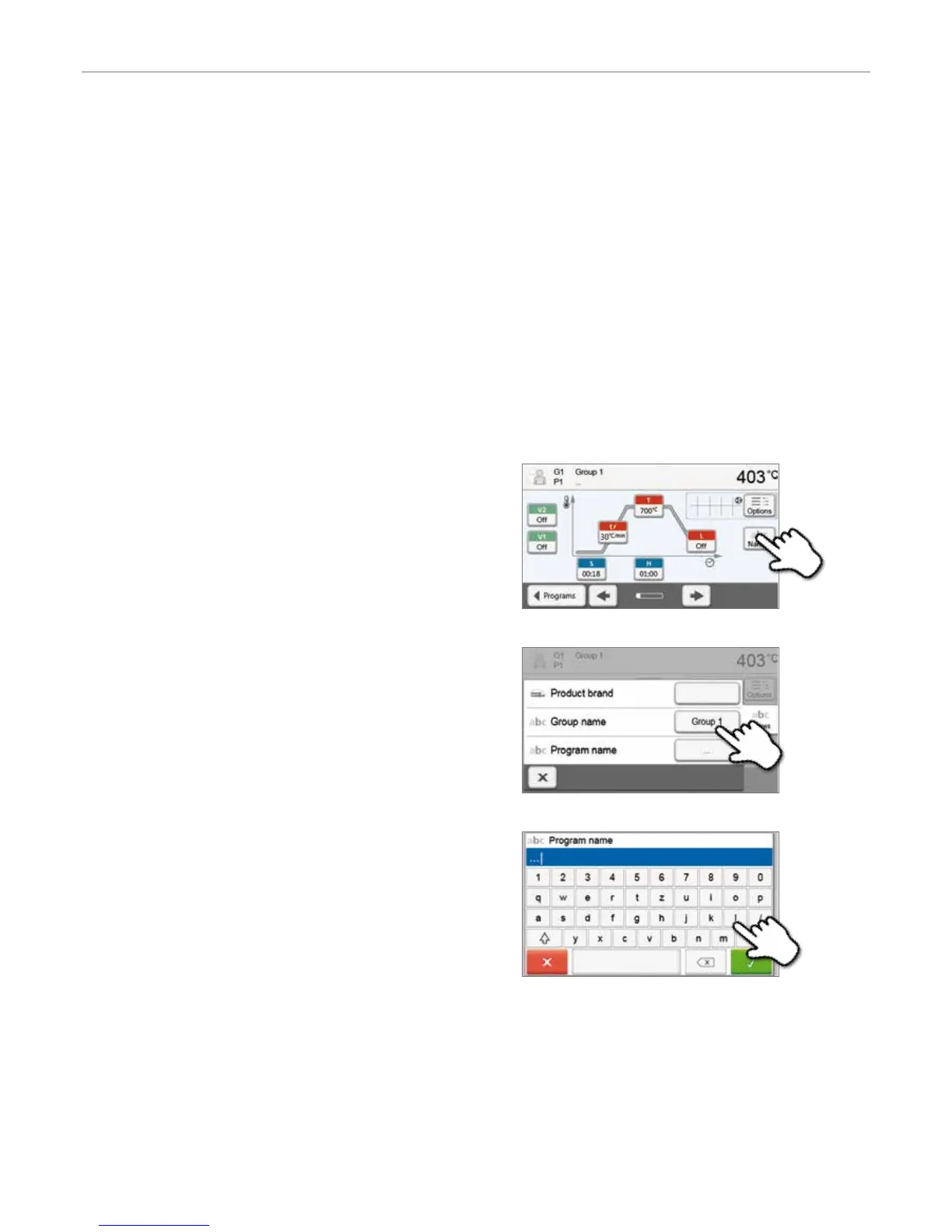
Programs and firing groups can be renamed. Depending on the indication, users may select from different product logos.
1. Press the [Names] button in the program screen.
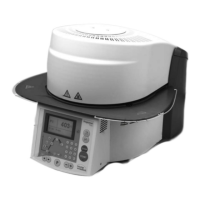
2. By pressing the corresponding button, select if you want to
change the product logo, group name or program name.
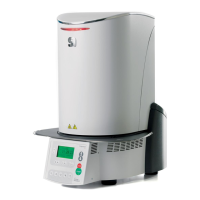
3. Enter the desired program or program group name.
Confirm the entry with the green button.
5. Operation and Configuration


 To Next Page