42
5. Assess the calibration sample and adjust the calibration
value
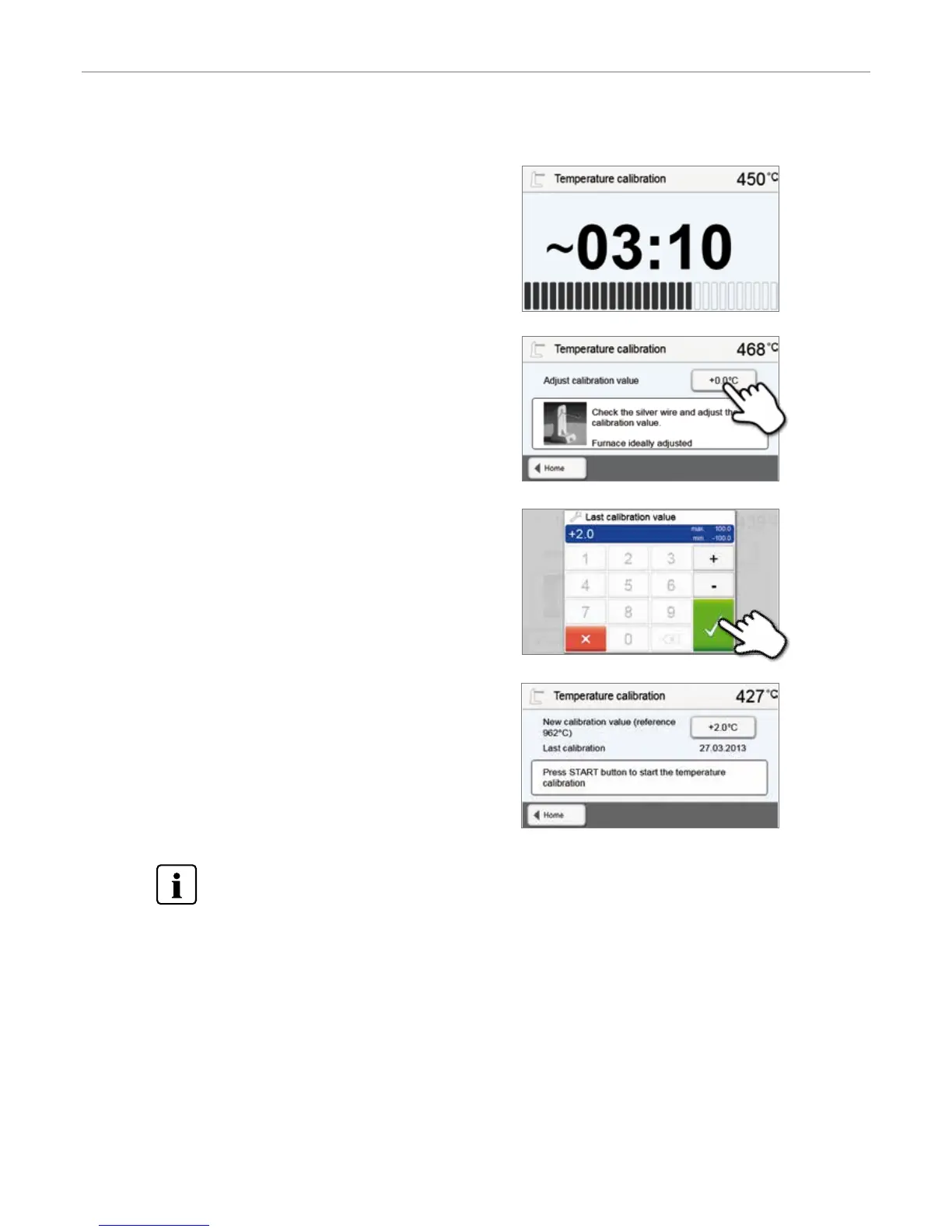
Assess the sample after the calibration program has ended. Observe
the assistance on the display.
Press the input field in the display to adjust the calibration value.
6. Enter the calibration value
Enter the calibration value by means of the +/– buttons and confirm
your entry with the green button.
7. Re-calibration
The calibration value has been saved. Run the calibration program
again and make sure that the silver wire has correctly started to melt
(Fig. 1).
Adjust the calibration value again if necessary.
To return to the home screen, press either the touch button [Home] in the navigation bar or the HOME key on
the membrane-sealed keypad.
4. The status bar shows the duration of the calibration
program.
5. Operation and Configuration


 To Next Page