48
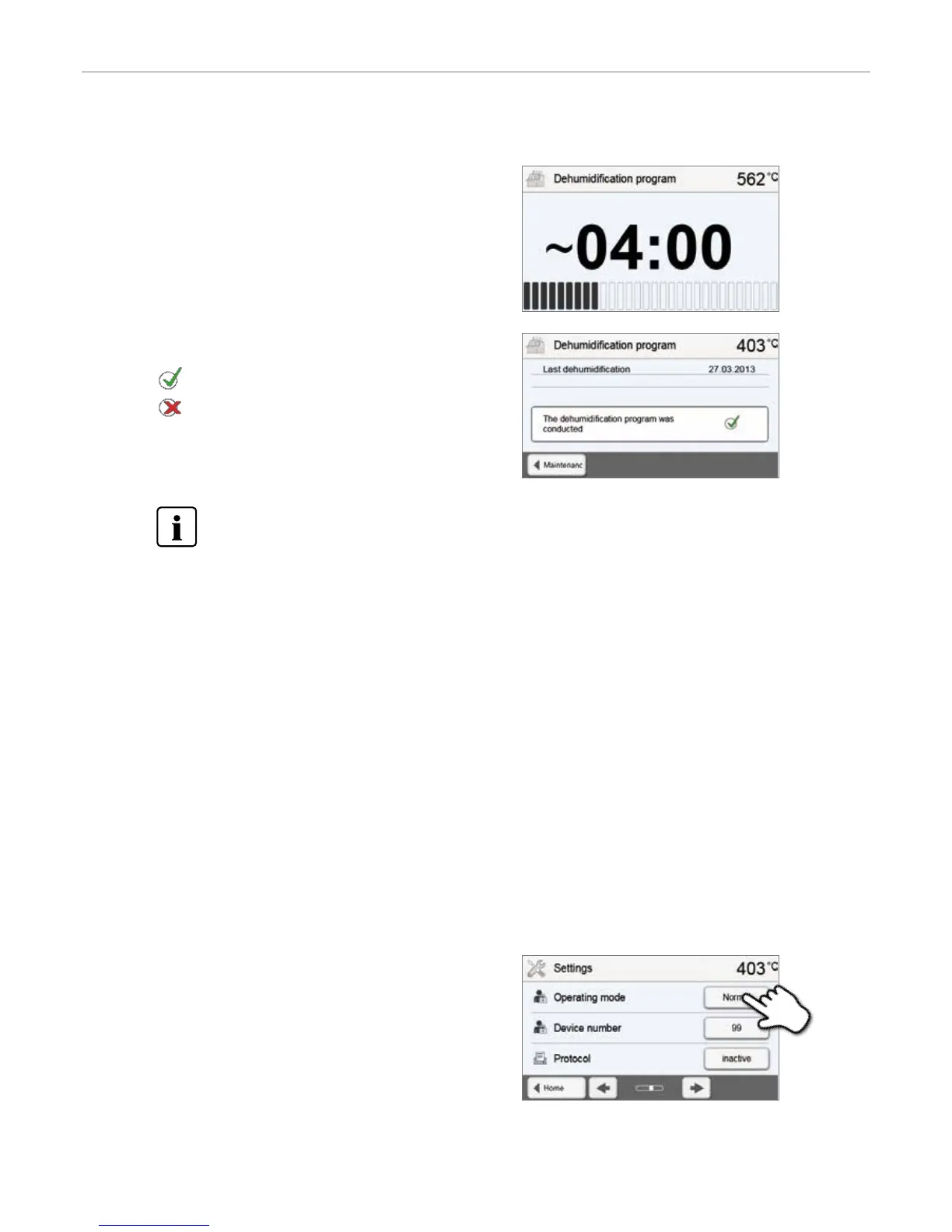
4. End of dehumidification program
The following messages are displayed:
Dehumidification program successful
Dehumidification program failed
3. The status bar shows the progress of the dehumidification
program.
During an active dehumidification program, the furnace head is automatically opened and closed. This supports
the evaporation process of the condensed water. Do not interrupt this process.
5.3.7.2 Cleaning program
The cleaning program is used to “clean” the heating muffle (duration: approx. 17 min.). After a cleaning program, it is
recommended to calibrate the furnace. In case of problems with discolouration of the ceramic, we recommend cleaning
the firing table or replacing the firing tray material.
To start the cleaning program, proceed as described in the section on the dehumidification program.
5.3.8 Operating mode
Various operating modes can be selected in the Settings menu. In this way, the user safety is enhanced and adjusted to the
area of application. The following modes are available:
– Standard: All functions of the furnace are available in this mode.
– Protected: Only programs can be selected and started in this mode. Programs cannot be changed. Settings or special
functions cannot be activated or changed. In the protected mode, the production mode can only be activated or deacti-
vated by entering the user code.
– Production: In this mode, only one program can be accessed. Only the functions Open/Close furnace head and Start/
Stop program are available. Only that program is available, which was loaded in the furnace at the time the production
mode was selected. Help notes on the operation are shown in the display. The production mode can only be activated
or deactivated by entering the user code.
The selection of the operating mode requires only few steps:
1. Change the operating mode
Open the Settings menu and press the button in the line
“Operating mode”.
5. Operation and Configuration


 To Next Page