49
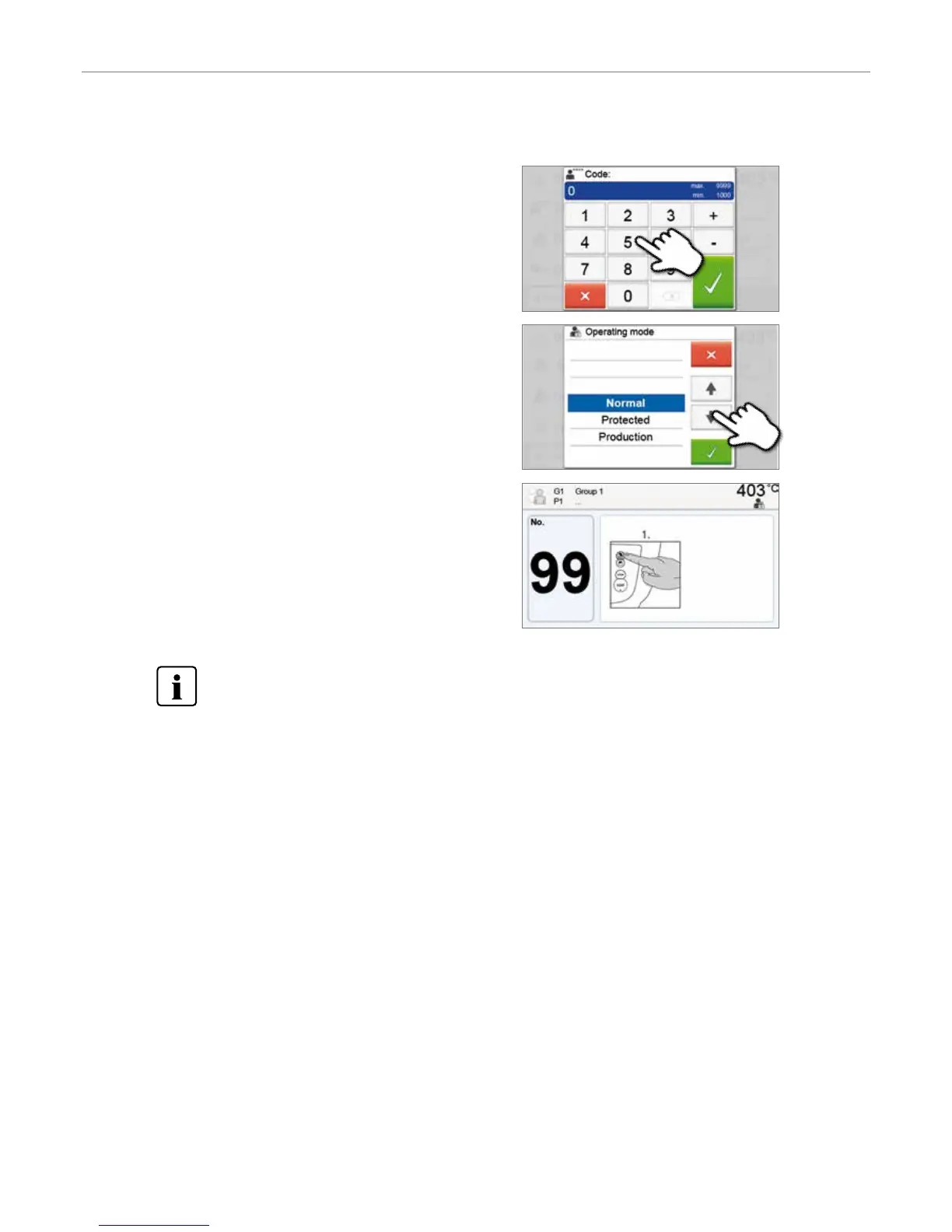
3. Select the operating mode
Select the desired operating mode and confirm the entry with the
green button.
4. Program screen in the operating mode “Production”
(example)
2. Enter the user code
Enter the user code and confirm the entry with the green button.
The “Protected” or “Production” modes can be quit by prolonged pressing of the HOME key (at least
3 seconds).
5. Operation and Configuration


 To Next Page