8
POWER SUPPLY CONNECTOR REMOVAL
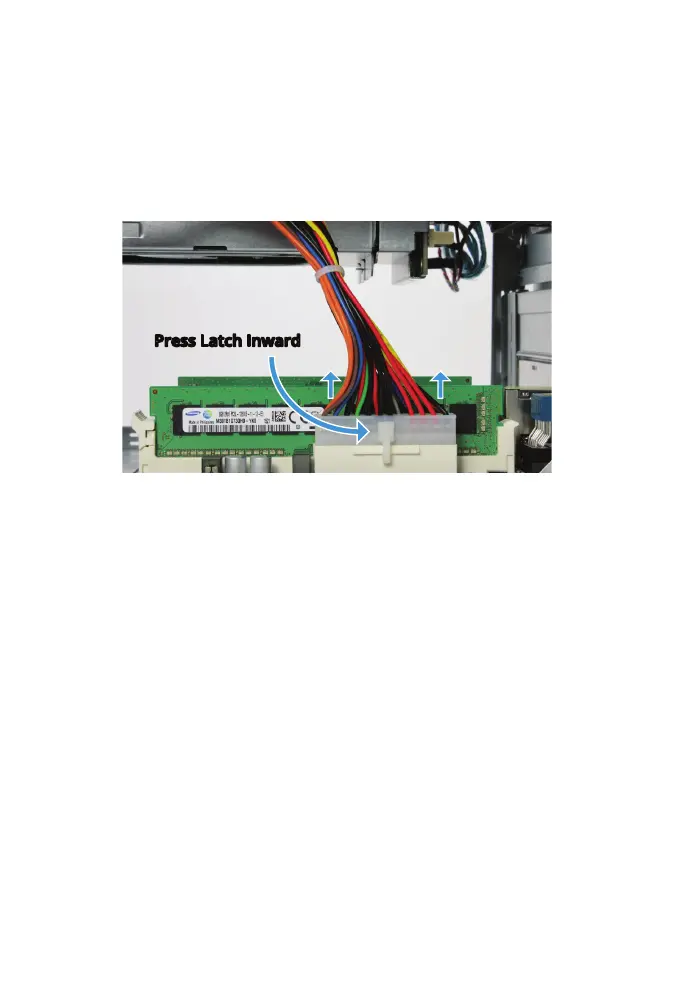
The power supply is connected to the motherboard with a 24-pin
connector.
Press in on the upper part of the latch and pull the connector upward to
disconnect the power supply cable.
Note: Force may be needed as the connector is tight. It helps to hold the
motherboard tray in place while pulling upward on the connector.
Press Latch Inward



 To Next Page