7
FREENAS MINI NETWORK CARD
INSTALLATION
PART I: REMOVING CABLES AND COMPONENTS
Some cables and components must be disconnected or removed before
the network card can be installed.
OPENING THE FREENAS MINI CASE
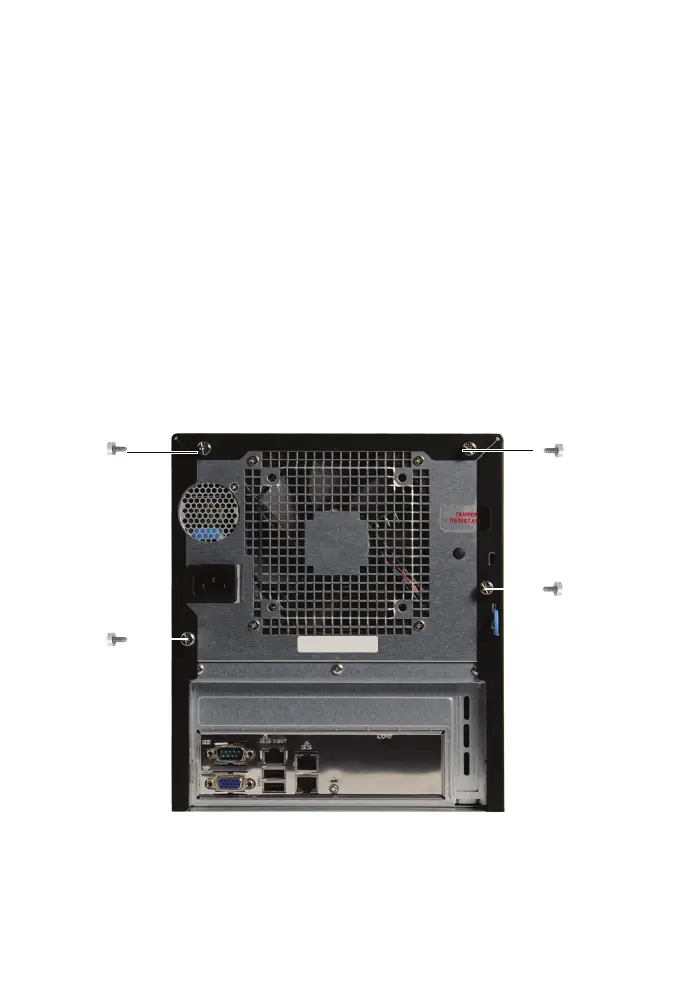
Unscrew the four thumbscrews on the rear of the Mini:
1
3
2
4
Slide the black metal cover o the back of the chassis.



 To Next Page