6
SFP+ MODULE INSTALLATION
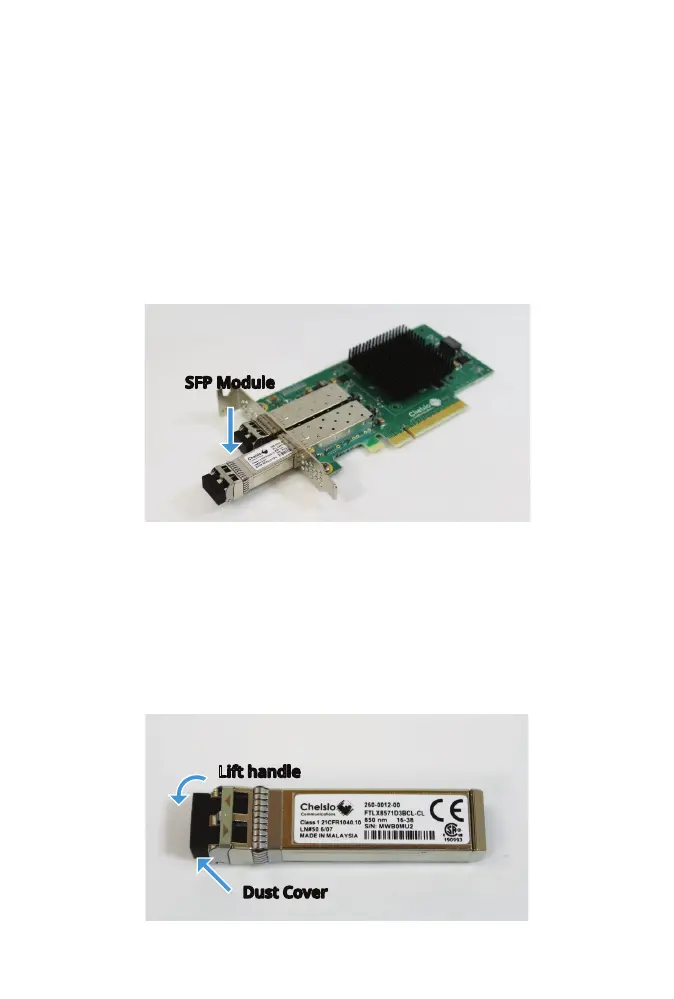
The Chelsio network card is compatible with SFP+ modules. Align the
SFP+ module with the SFP+ cage and gently push until it slides into place.
Dierent types of SFP+ modules are available, and connecting them to the
network depends on the type.
Note: The Intel network card does not support SFP+ modules.
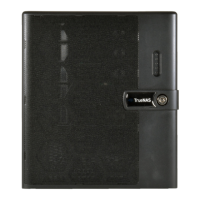
The SFP+ module has a rubber dust cover. Keep the cover in place until
ready to connect a ber optic cable. To remove the dust cover, lift the
handle until it is fully open and pull the dust cover o.
SFP Module
Dust Cover
Lift handle



 To Next Page