EasyManua.ls Logo

iZone 225 - 4.0 User Manual; Home Screen Navigation and Controls

Default Icon
64 pages
Print Icon
To Next Page IconTo Next Page
To Previous Page IconTo Previous Page
Loading...
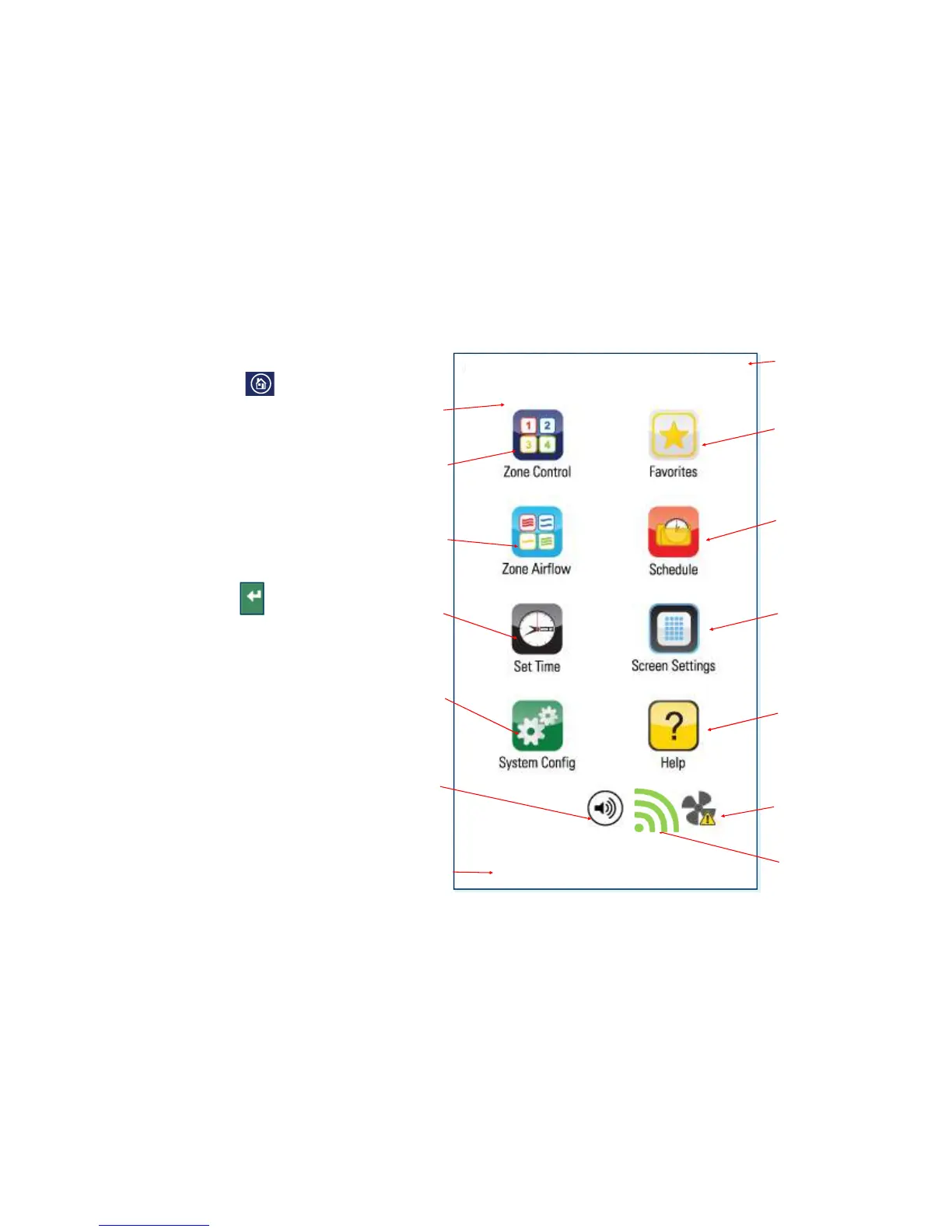
4.1 iZone 225 home screen

iZone
Inventive
.
Intelligent
.
Intuitive
?
)$
:*%
45
)$
:*%
4 5
)*
9*4 5
)*#
&3
E
<)
$
($
)*+
45
)*+
8%45
)
$4 5
):*
4!5
)$
$
&4&#
5
=*#O*%
#*$
#
To get back to the Home
screen at any time press.
When entering names or
values using the keyboard
it is easier to use a thin
object such as a toothpick.
Do not use sharp, hard
objects as they may
damage the screen. The
enter button must always
be pressed to save the
changes you have made.
Some functions may have
been locked by your
installer to ensure the
commissioned values are
not changed. To make
changes to these values
contact your installation
company.
>6$
/! 0!)

Table of Contents

Related product manuals