WORMHOLE SWITCH
USER MANUAL
20
EXPLORE THE OUTSTANDING FEATURES
NOW! Get ready to explore the outstanding features!
After configuring the settings on the previous section, you can start
playing your Wormhole Switch and enjoying the convenience it brings
to you.
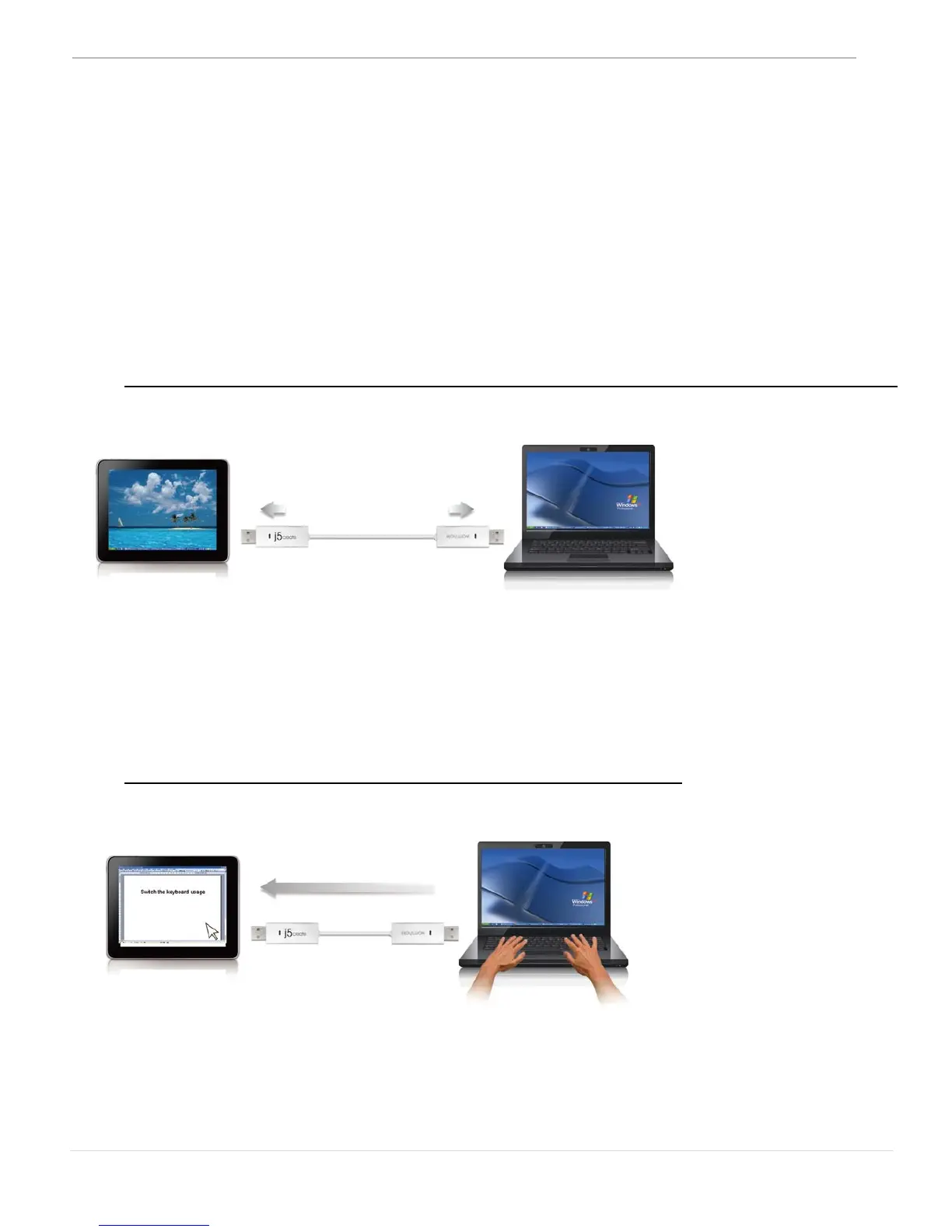
Sharing Keyboard and Mouse
o Move mouse cursor between two displays intuitively and seamlessly.
Set “Use mouse move off the edge of screen” with “left side of this
pc” in Preferences, you can move the mouse cursor to cross the
edge of the left side display.
o Switch the Keyboard usage to another computer
Move the mouse cursor to the second computer and open any
Editing applications such as word, excel, power point, etc. and use the
keyboard of the first computer to type the text on the file of the second
computer.



 To Next Page