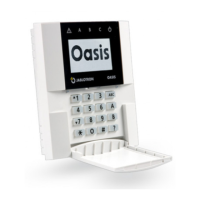
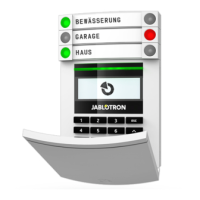
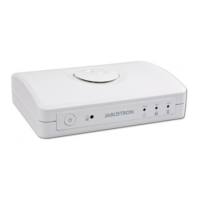
JA-14K(R) Security System Control Panel 2 / 72 MNX22101
Contents
1 Basic description and definitions ....................................................................................................................... 4
1.1 Basic system configuration requirements .......................................................................................... 6
1.2 Access codes and their default settings ............................................................................................. 7
1.2.1 Change of access codes ..................................................................................................... 8
1.2.2 Security access codes and RFID devices .......................................................................... 8
1.3 Regular system check (maintenance) ................................................................................................ 9
2
System size .................................................................................................................................................... 10
2.1 Configuration and splitting ................................................................................................................ 10
2.2 System control .................................................................................................................................. 10
3
The JA-14K(R) control panel utility parameters ......................................................................................... 11
3.1 Description of JA-14K(R) control panel ............................................................................................ 11
3.2 Indication LEDs on the control panel board ..................................................................................... 13
3.3 Additional connectors on the control panel PCB .............................................................................. 13
3.4 Connection terminals on the control panel PCB .............................................................................. 13
4
Before system installation ............................................................................................................................ 14
5 Installation of BUS devices ........................................................................................................................... 14
5.1 JA-10 BUS ........................................................................................................................................ 15
5.2 BUS cables ....................................................................................................................................... 15
5.3 BUS branching and splitting ............................................................................................................. 15
5.4 Example of calculation of BUS consumption to back-up the system ............................................... 15
5.5 Power supply requirements .............................................................................................................. 16
6
Use of wireless devices ................................................................................................................................ 16
6.1 Installation of a JA-111R radio module ............................................................................................ 17
6.2 Installation of wireless devices – enrollment mode .......................................................................... 17
7
Switching the system ON .............................................................................................................................. 18
8 System configuration .................................................................................................................................... 18
8.1 The system profiles .......................................................................................................................... 18
8.2 Control panel operation modes ........................................................................................................ 22
8.3 Authorisation of users ....................................................................................................................... 22
8.4 System optional parameters (N-Link – Parameters tab) .................................................................. 24
8.4.1 Enrolling and erasing devices ........................................................................................... 24
8.4.2 List of applicable reactions ................................................................................................ 26
8.4.3 Limitation of false alarms .................................................................................................. 27
8.5 Types of alarms ................................................................................................................................ 27
8.5.1 Intrusion alarm .................................................................................................................. 28
8.5.2 Tamper alarm .................................................................................................................... 28
8.5.3 Fire alarm .......................................................................................................................... 28
8.5.4 Panic alarm ....................................................................................................................... 28
8.5.5 24hr alarm ......................................................................................................................... 29
8.5.6 Alarm cancelling ................................................................................................................ 29
8.6 System faults .................................................................................................................................... 29
8.7 Fault caused by loss of a device ...................................................................................................... 30
9
System control options ................................................................................................................................. 30
9.1 Way of authorization ......................................................................................................................... 30
9.2 System control by keypad ................................................................................................................ 31
9.3 System control by remote control ..................................................................................................... 32
9.4 System control by a calendar ........................................................................................................... 32
9.5 System control via application for smart phones .............................................................................. 34
9.6 System control via supplementary communicator voice menu (GSM / PSTN) ................................ 34
9.7 SMS commands ............................................................................................................................... 34
9.8 Controlling the system via N-Link ..................................................................................................... 36
9.9 Control by Duress access control ..................................................................................................... 36
9.10 Obstacles preventing setting the system ......................................................................................... 37
9.11 Unsuccessful setting ........................................................................................................................ 37
9.12 Overview table of Groups of Events reported to users .................................................................... 38
9.13 System acoustic indication ............................................................................................................... 39



 To Next Page
 Loading...