MUSIC & CHAT
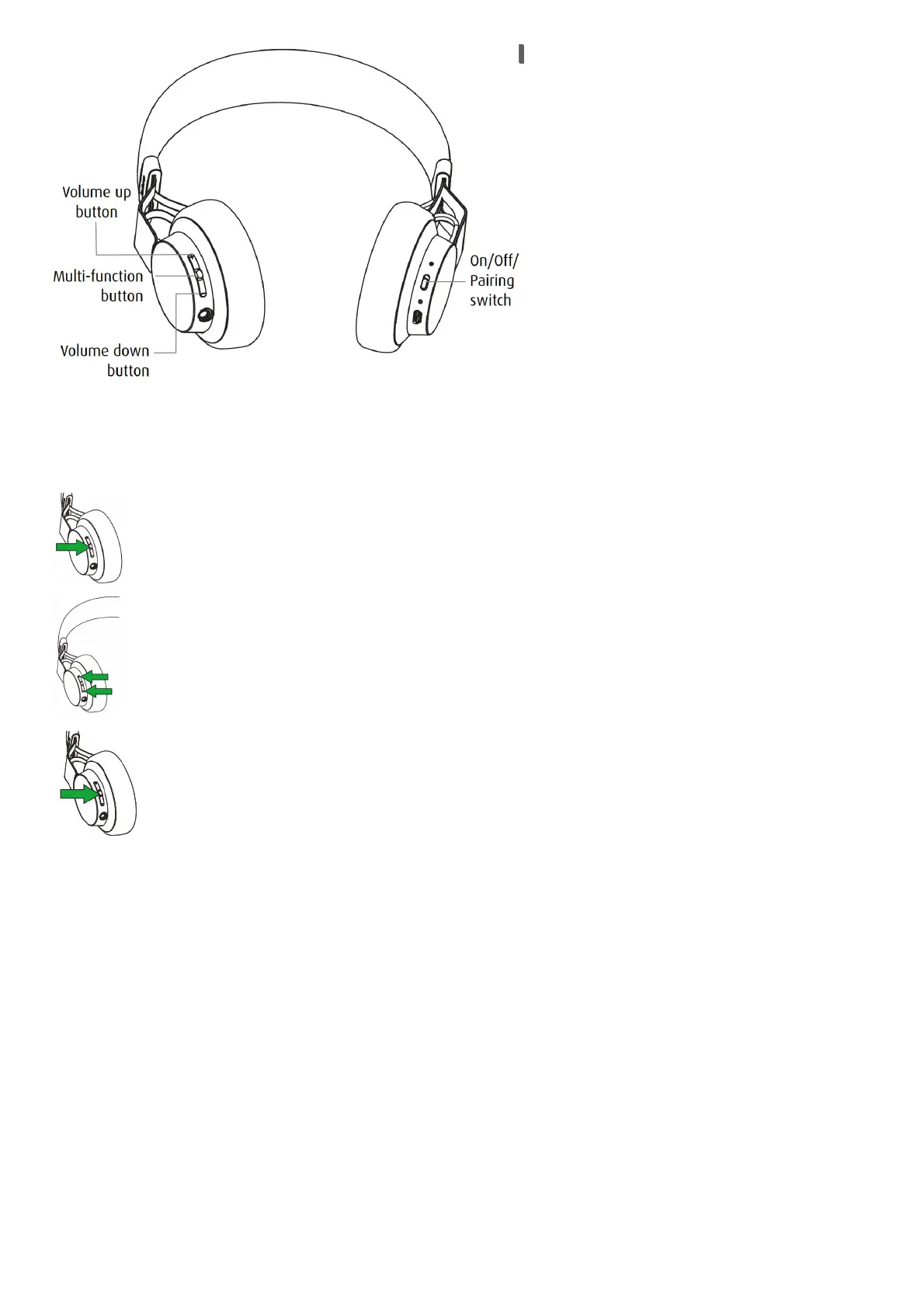
The buttons on the headphones enable you to control your music and phone calls.
FUNCTION HOW TO DO IT
Pause/play music Tap the Multi-function button
Adjust volume
Tap the Volume up or
Volume down button
Skip track
Press and hold either the
Volume up or Volume down button
Battery status Tap the Volume up or Volume down button, when not on a call
Answer/end call Tap the Multi-function button
Reject call
Press and hold (1 sec) the
Multi-function button
Redial last number Double-tap the Multifunction button
TURN HEADPHONES ON/OFF
Slide the On/Off/Pairing switch to On or Off.









 To Next Page