- 78 -
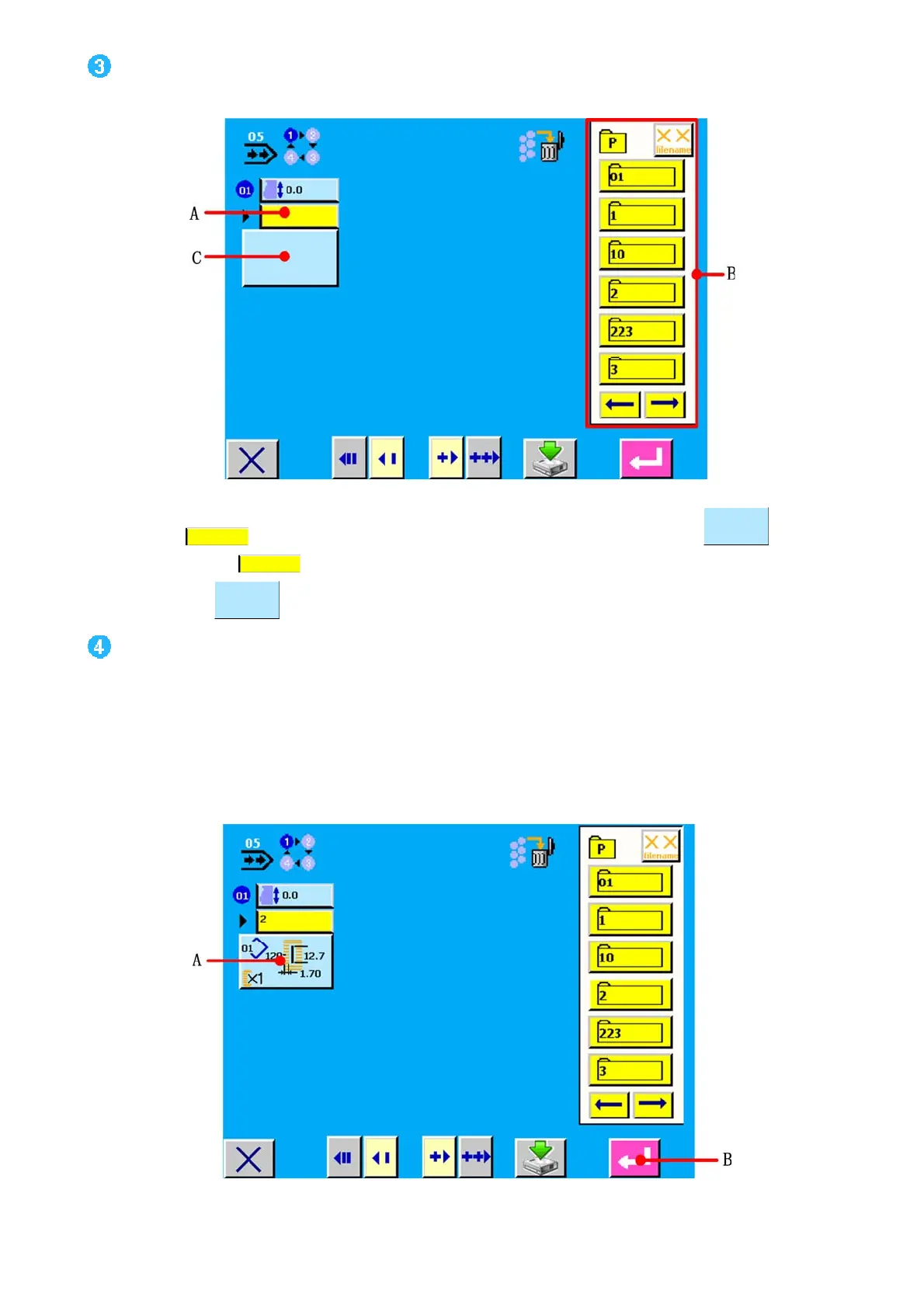
确认送布量并呼出图案形状显示画面
Determine the feed amount and call the pattern No. selection screen.
图/figure 11.5
触摸图案号按键
(A)之后,关闭送布量输入画面,输入结束。同时显示出图案形状显示按键 (C)。
When pattern No. button
(A) is pressed, the feed amount input screen is closed and input has been completed.
Pattern shape button
is displayed.
选择图案 NO. Select the pattern No.
触摸显示登记的图案 NO区域 B,选择想选择的图案 NO.按键。并在显示按键显示缝制数据。如图 11.6 A 所示。
Press the registered pattern No. buttons in area B(see figure 11.5) and press the pattern No. button you desire to select.
Contents of sewing data are displayed in the
buttons(see figure 11.6).
图/figure 11.6



 To Next Page