- 79 -
确认图案 NO. Determine the pattern No.
按了确认图案按键
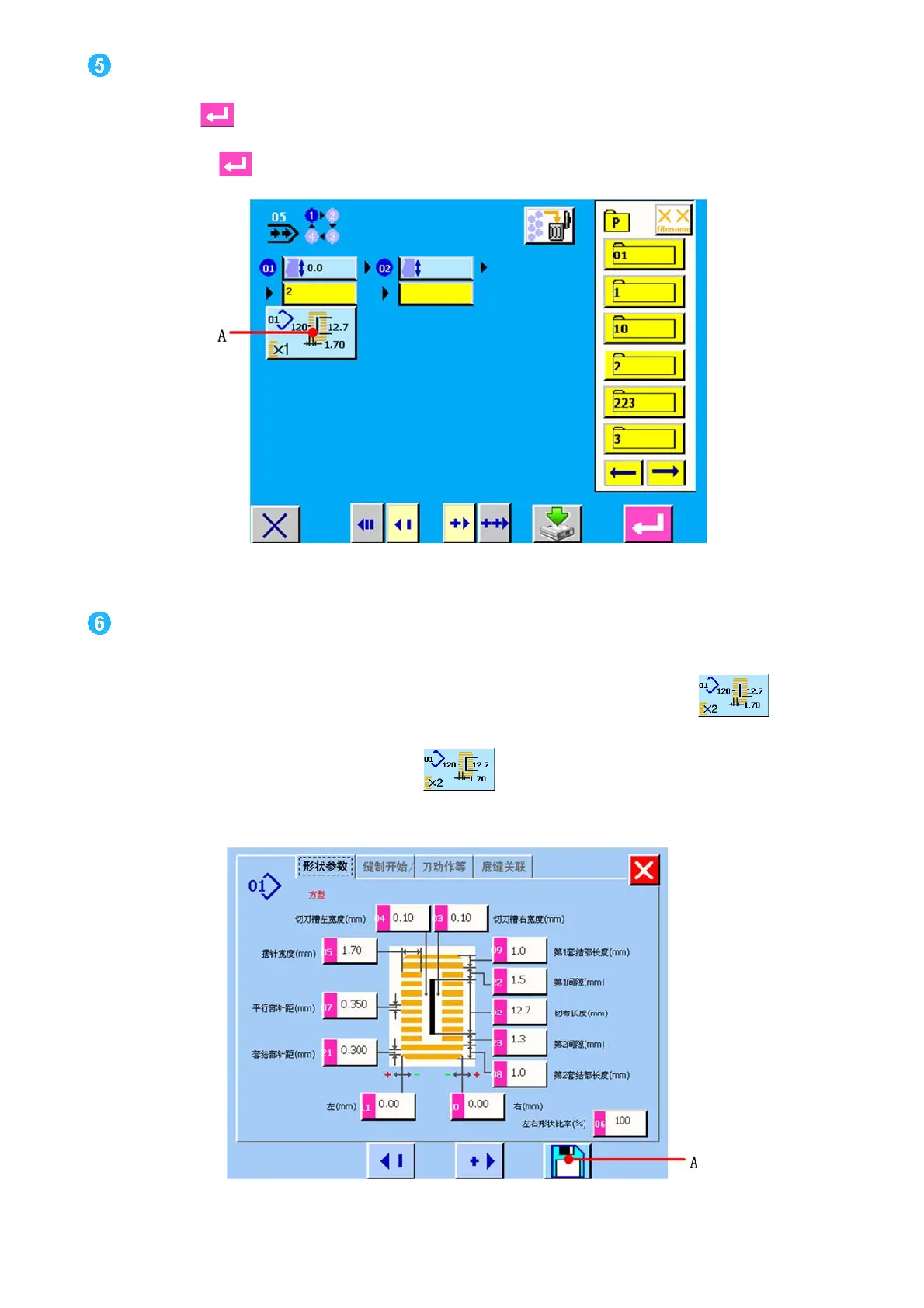
(B)之后,连续缝制数据 NO.选择结束。如图 11.7 所示。
When ENTER button
(B) is pressed, the continuous stitching data No. selection has been completed(see figure 11.7).
图/figure 11.7
编辑连续缝制数据里输入的图案数据
Edit the sewing data of pattern inputted to continuous stitching data.
选择了图案 NO.之后,想变更图案 NO.里被输入的缝制数据的内容,触摸显示输入的缝制数据按键 (A)。按键
之后,显示出缝制数据输入画面。
When the pattern No. is selected, the sewing data button (A) displayed the contents of the sewing data inputted to
the selected pattern No. is displayed. When the button is pressed, the sewing data input screen is displayed.



 To Next Page