PhaseStation 53100A User’s Manual V1.04 25-Apr-2022 89
Apply notch filter to phase data (Ctrl-n)
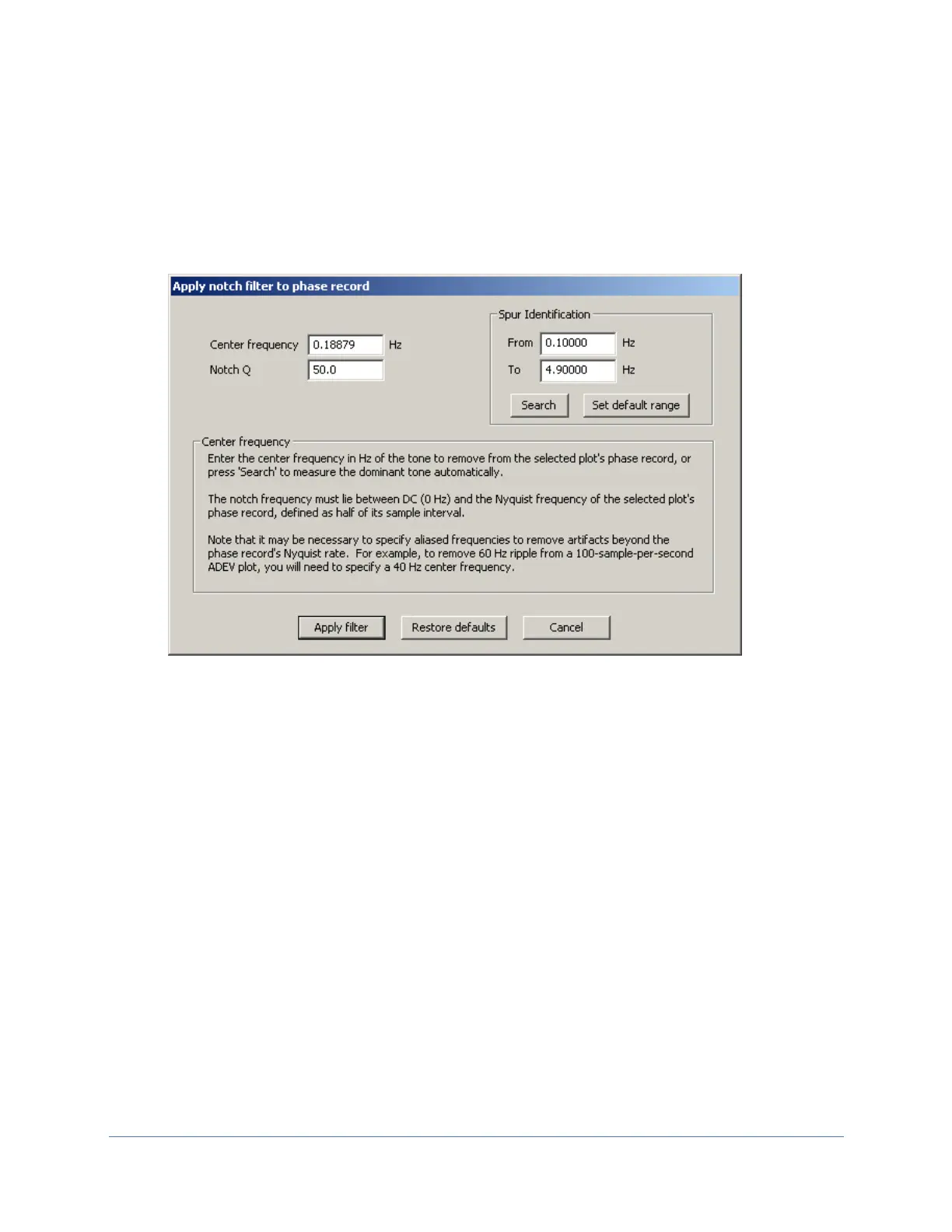
This command applies a biquad notch filter with the specified center frequency and Q
parameters to the phase data record. It is typically used to attenuate unwanted tonal artifacts
such as crosstalk and AC line interference. The filter has no effect on phase noise or AM noise
data.
In the dialog box above, the desired center frequency and Q should be entered in the fields
indicated.
The Search button can optionally be used to identify the dominant tone within the specified
frequency range and copy it to the Center frequency field. When the Set default range button
is pressed, the frequency range controls are prefilled with values based on the DC and Nyquist
band limits for the selected plot’s phase record, leaving 2% margins at either endpoint. Tone
frequencies lying outside this range can be entered manually into the Center frequency field.
Alternatively, the From / To fields can be adjusted manually to constrain the spur search within
the desired limits.
When working with direct-digital test sets such as the PhaseStation 53100A and TimePod 5330A,
line-frequency ripple can be particularly troublesome in ADEV plots captured at these
instruments’ default measurement bandwidth of 50 Hz. Since decimation to the specified
ENBW occurs prior to phase detection at twice the final sample rate, or 200 Hz, any content at
60 Hz will appear as an alias at 40 Hz in the final 100 Hz phase data record. This frequency,
rather than 60 Hz, should be entered in the Center Frequency field in order to suppress
Figure 37: Notch filter properties



 To Next Page