2) Press key
/MR or TARE/
to circle the parameters
3) Press key G N/SET to enter the selected parameter.
4) Press key
/MR or TARE/
to circle the items of present parameter.
5) Press key M+/SAVE to save after changing and return to parameters choosing. While
Press key ZERO/ESC to return without saving.
6) Press key ZERO/ESC again to return to weighing mode.
Note: In the parameter setting mode, press the numeric key to choose the parameter
directly.
5-2 Parameters
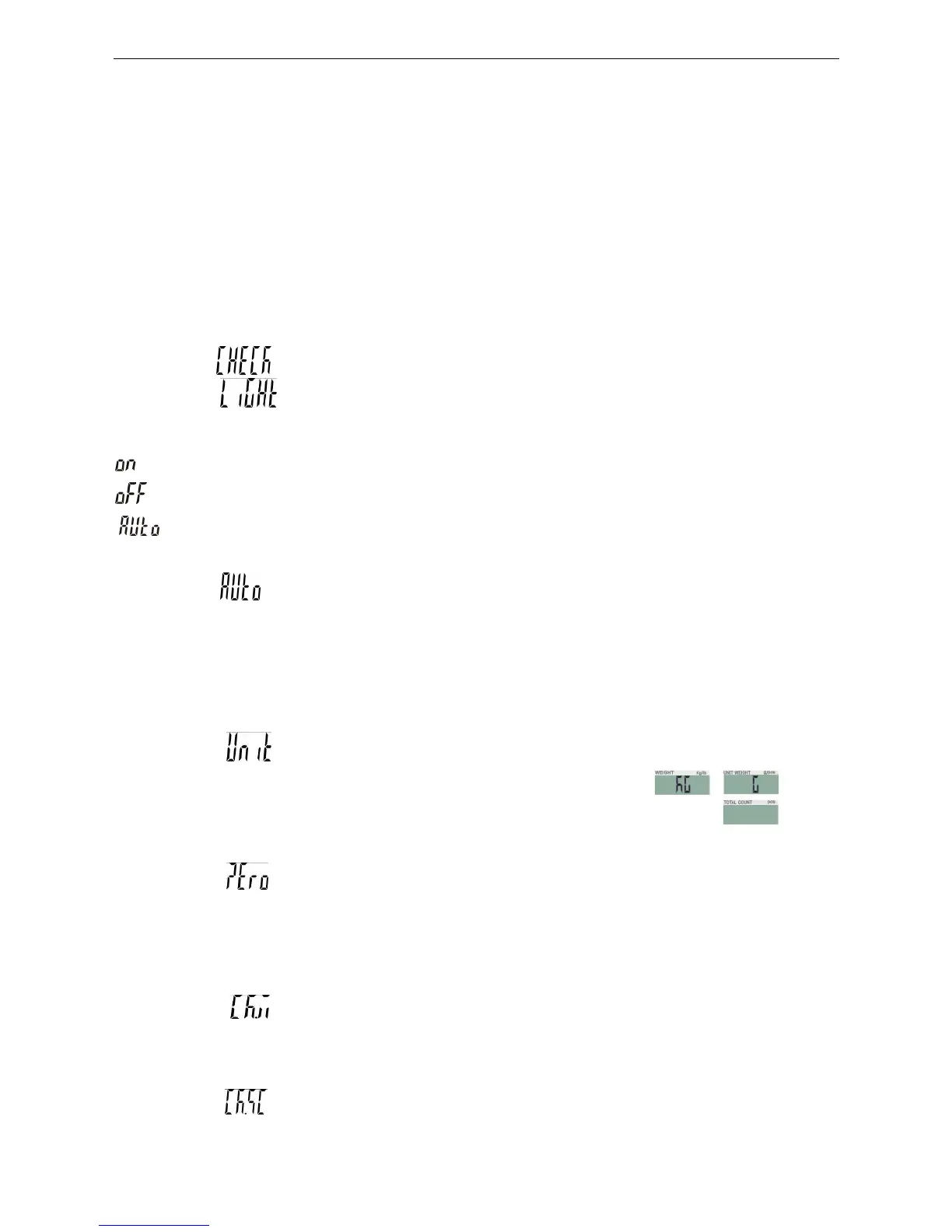
1) SET00 internal code checking
2) SET01 backlight modes shifting
Options are On, OFF, and AUTO
= Backlight
= No backlight
= Auto-on with items greater than 9d placed on the pan. Auto-off within 2s,4s,6s., 20s,
3) SET02 auto-off time setting
Options are off, 5min, 10min, 30min, and 60min.
Off : close auto-off function
5
,
10
,
30
,
60:Auto off with less than 9d of gross weight when there is not any operation
within 5min (10, 30, 60min available)
4) SET03 using units setting: press SAMPLE to choose unit Kg Kg,Kg g,
g g,lb lb
Note: it refers to the weighing unit and unit weight unit.
Such as, if Kg, G is selected, it means the weighing unit is Kg and unit weight unit g.
5) SET04 zero range setting: d0, d1, d2, d3, d4, d5.
d0: display zero with 1 d placed on the pan.
d1: display zero with 2 d placed on the pan. No display with 1d on the pan.
So do as d2, d3, d4 and d5
6) SET05 weight checking setting: on, off
On: weight checking starts automatically when powering on
Off: weight checking closes when powering on
7) SET06
stable weight checking setting: on, off
On: it starts checking weight when the weight and amounts are within the checking range



 To Next Page