To Next Page

A
Andrew MooreJul 27, 2025
What to do if my Jadever Scales show low battery?
- JjacksonstephenJul 27, 2025
If your Jadever Scales display indicates a low battery, recharge the battery. You can continue to use the scale while it's charging.

What to do if my Jadever Scales show low battery?
If your Jadever Scales display indicates a low battery, recharge the battery. You can continue to use the scale while it's charging.
What to do if Jadever Scales show overload?
If the Jadever Scales show that the weighed articles are overload, do not load items exceeding the maximum tolerance of the scale.
Why does the initial zero point exceed the limit on my Jadever Scales?
If the initial zero point exceeds the acceptable range on your Jadever Scales, first check for and remove any foreign objects on the scale pan. If the issue persists, it may indicate a LOAD CELL failure, requiring replacement or service.
What to do if Jadever Scales display is out of A/D resolution range?
If your Jadever Scales display a reading that is higher or lower than the A/D resolution range, it could indicate an A/D failure, requiring replacement. Alternatively, it could be a LOAD CELL failure, also requiring replacement or service.
What happens if Jadever JCL Scales exceed the display range for accumulated data?
If the accumulated number of weighments, total count, or weight exceeds the display range on your Jadever Scales, you can no longer accumulate further data.
How to fix EEPROM Chksum failure on Jadever JCL?
In case of an EEPROM Chksum failure in Jadever Scales, re-solder the EEPROM or contact our Service.
Details on how to unpack and inspect the scale for damage or missing parts.
Instructions for installing scale components, including removing shipping protection.
Guidance on how to level the scale using the front panel level indicator for accurate readings.
Provides technical specifications and lists the key features of the JCL counting scale.
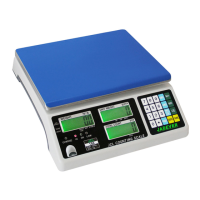
Description of the scale's front panel, including its display and keyboard layout.
Information on the scale's power options, including AC adapter and battery.
Instructions for performing basic weighing operations on the scale.
Detailed guide on how to use the scale for counting applications, including unit weight setup.
Step-by-step procedure for performing a single-point calibration of the scale.
Instructions for conducting a linear calibration, involving multiple weight points.
Diagram and explanation of the RS-232 connector pinout for external communication.
Details on different single options available for serial interface integration.
Specifies the data format, baud rate, parity, and stop bit for RS-232 output.
 General