Janfire NH Burner Service Installation Manual 4.16.09 - Technical specifications are subject to change without prior
notice.
24(38)
7 NH Burner Menu System
The Janfire NH burner menu system has two levels: a user menu and a service menu.
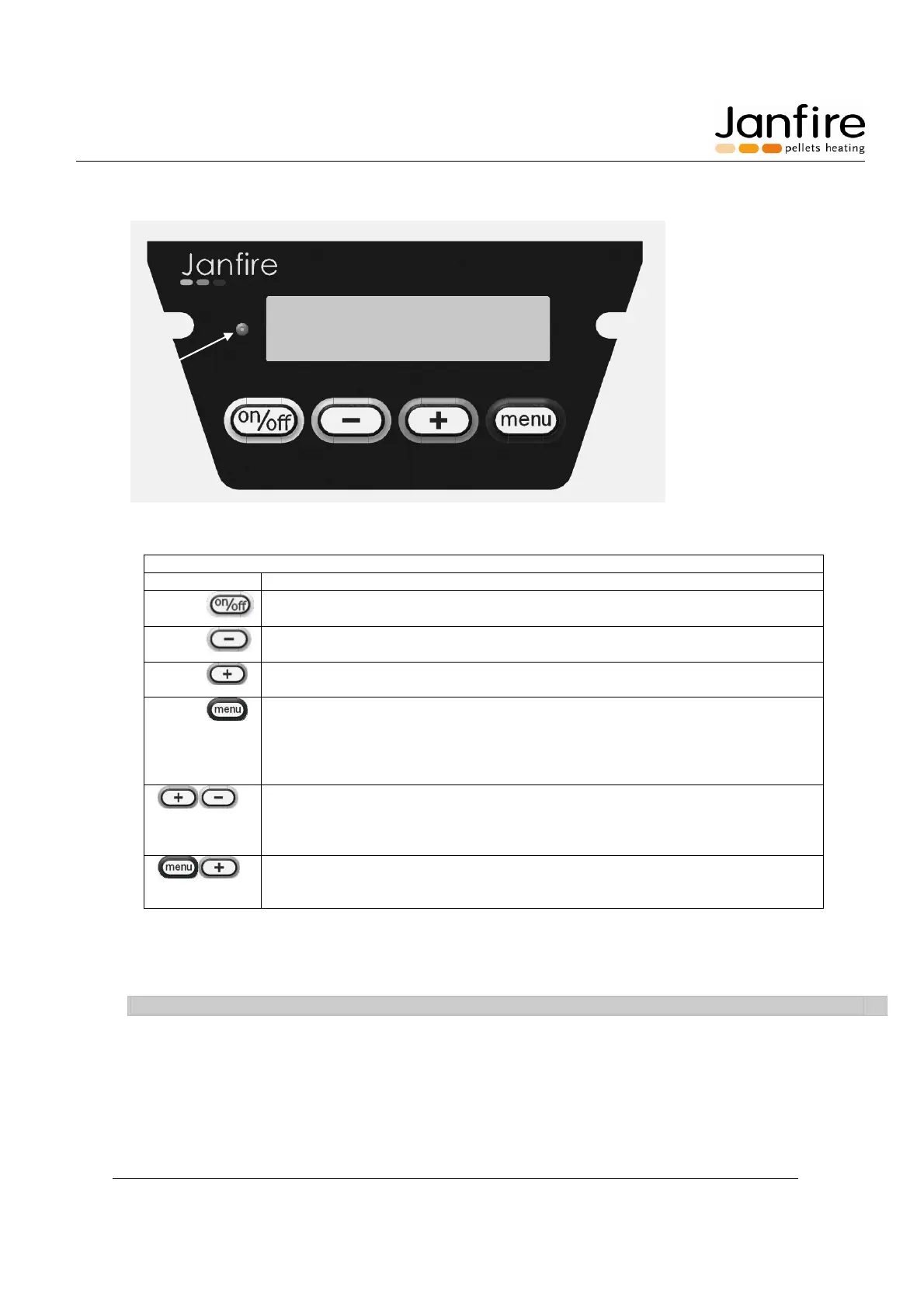
Janfire NH Menu system
A Control lamp: Green = Normal, Yellow = Warning, Red = Error
One press: shuts down the burner. (Total stop)
Press again: continues burner operation where it left off.
Reduce value in user and service menus.
Scrolling backwards in service menu.
Increase value in user and service menus.
Scrolling forward in service menu
Scrolling in user menu (quick press).
Save / Confirm value (press for 3 seconds) and “save to memory”
appears on the display. (Valid for user and service levels)
One press on the menu button in service menu makes the value editable
(numbers flashing). Change value with the ”+” and ”-” buttons.
Press and hold both buttons at the same time for three seconds (or
more) to enter service menu.
To return to user menu, press and hold both buttons at the same time for
three seconds again.
When Janfire text is shown in the display press the “menu” and “+”
buttons when powering on / resetting the burner to restore all settings to
factory default settings.
Figure 9 Menu system
On start-up status for the user menu will be shown in the display.
NOTE: When not pressing any buttons for 5 minutes, the status mode will automatically appear in the display.
Adjustment of display contrast is done with “+” and “-“ buttons. Change of contrast can only be done when
display is showing status or mode information. Press and hold “menu” for three seconds to save.



 To Next Page