www.janitza.com JPC 100-PRO
15
CAUTION
Material damage due to disregard of the
connection instructions!
Disregard of the connection instructions can
damage your device.
Observe the following:
• Observe the voltage and frequency
specifications on the rating plate!
• Use commercially available patch ca-
bles for the intended interfaces.
5. Installation
5. 1 Circuit breaker
When installing the device in a building,
provide a suitable disconnect switch (circuit
breaker) for the supply voltage in order to
disconnect the device from the power supply.
• Install the circuit breaker near the device
and within easy reach of the user.
• Mark the switch as the isolation device for
this piece of equipment.
5. 2 Supply voltage
A supply voltage is required to operate the
device. Please refer to the technical data for
the type and level of supply voltage for your
device.
The following power supply options are
available:
• 24V DC (via 3-pin Phoenix connector)
Before applying the supply voltage, make
sure that the supply voltage corresponds to
the specification in the technical data (see
section 8).
If no indication appears on the display after
connecting the supply voltage, check wheth-
er the supply voltage is within the nominal
voltage range.
5. 3 Connection of the measurement
devices
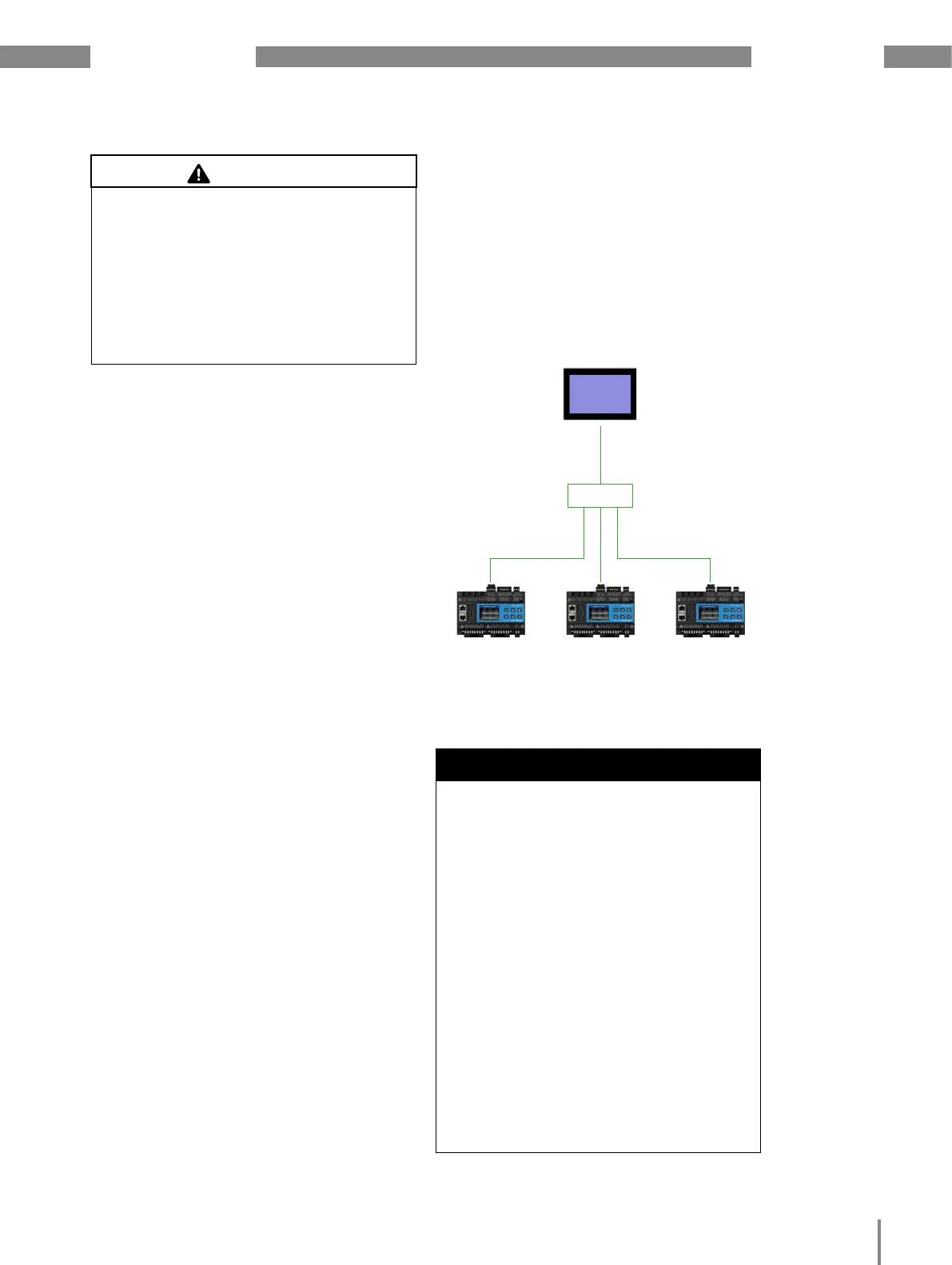
The JPC 100-PRO is connected to the mea-
surement devices via the Ethernet.
Connect the JPC 100-PRO via the Ethernet
interface to the same network as the mea-
surement devices that you want to manage.
JPC 100-PRO
UMG801 UMG801 UMG801
Fig. 6: Connection example
Switch
Ethernet Ethernet
ATTENTION
Material damage due to security vulnerabil-
ities in programs, IT networks and proto-
cols.
Security vulnerabilities can lead to data misuse
and faults and even the standstill of your IT
infrastructure.
To protect your IT system, network, data
communication and device:
· Inform your network administrator and/or
IT representative.
· Always keep the device firmware up to
date and protect the communication to
the device with an external firewall. Close
unused ports.
· Take protective measures against viruses
and cyber attacks from the Internet, e.g.
through firewall solutions, security up-
dates and virus protection programs.
· Eliminate security vulnerabilities and up-
date or renew existing protection for your
IT infrastructure.
EthernetEthernet



 To Next Page